Skip to content
Learning Site
Home

About

  • About Robotical
  • Case Studies
  • Meet the Team
  • Blog
  • Contact Us

Our Products

  • Marty the Robot
  • Axiom
  • Cog

Teach

  • Lessons & Resources
  • Marty for Educators
  • Funding & Grants
  • Professional Development
  • Why Teach STEM?
  • Coding Environments
  • Student Led Learning

Let's Code

  • Marty the Robot
  • Code Online
  • Marty Apple App
  • Marty Android App
  • Update your Marty
  • Cog
  • Code Online
  • Cog iOS App
  • Cog Android App
  • Axiom
  • Axiom Science

Support

  • Marty Get Started
  • Cog Quick Start Guide
  • Axiom Science Quick Start Guide
  • Support & FAQs
  • Marty V2 User Guides
  • Marty V1 Resources
  • Request Support
  • Request Top-Up Training

Shop

  • Marty the Robot and Physical Computing
  • Class Packs
  • Add Ons & Extras
  • Account
  • Shipping, Returns & Cancellations
  • Distributors
HomeLessonsUnits of workCurriculum standardsTutorials

Information

  • Lessons & Resources
  • Knowledge Base & User Guides
  • About Us
  • Shipping, Returns & Cancellation
  • Privacy Policy
  • Learning site privacy
  • Terms of Service
  • Partner Hub

Support & Help

  • Support & Help Center
  • Getting Started with Marty V2
  • Getting Started with Marty V1

Learning, Resources & Guides

  • Marty V2 Lessons Site
  • Marty V1 Lessons Site

Contact Us in the UK

Stanhope House,12 Stanhope Place,Edinburgh,United Kingdom,EH12 5HH
(+44) 0131 564 0922
hello@robotical.io
Contact Us

Contact Us in the US

2810N Church St, PMB 61694,Wilmington,Delaware,USA19802-4447
(+1) 833 886 1661
hello@robotical.io
Contact Us

Why not join our mailing list?

For News, New Products and Special Offers

Join mailing list

Copyright 2016-2026 © Robotical Ltd

All lessons
Marty app
CurrentPrevious

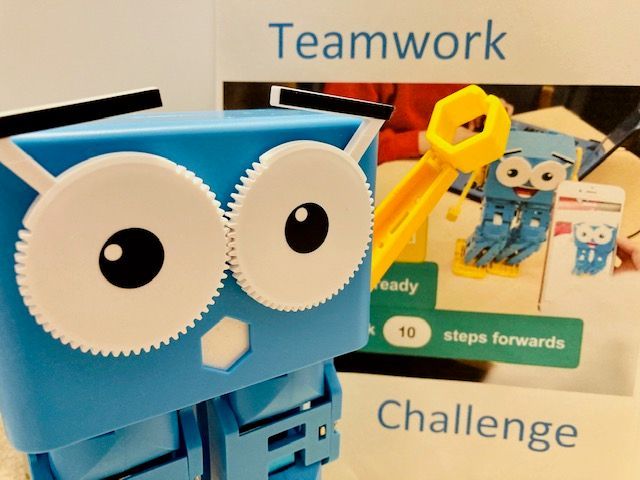
Teamwork Challenge with Marty

Develop teamwork skills with a cross-curricular social and emotional learning Marty activity
Teamwork Challenge with Marty
Age / stage
8 - 10
Estimated time
45 minutes
Difficulty
Beginner
Products
Marty V2

On this page

  1. Lesson overview
  2. Before you begin
  3. Get learning
  4. Further challenge ideas
  5. Additional reading
  6. Curriculum standards

Additional reading

  • How to get started with Blocks
  • Educator FAQ
  • Marty the Robot V2 - Educators Guide

Curriculum standards

18
Choose your curriculum to see the relevant standards.

18 of 18 linked standards shown.

Australian CurriculumAustralia3
Curriculum areaLinked standards
Digital Technologies, Design & technologies: Design & Technologies
Digital Technologies, Design & technologies: Digital Technologies

Select a code to read the full standard.

Digital Technologies, Design & technologies: Design & Technologies

  • ACTDEK020Investigate how electrical energy can control movement, sound or light in a designed product or system

Digital Technologies, Design & technologies: Digital Technologies

  • ACTDIP019Design, modify and follow simple algorithms involving sequences of steps, branching, and iteration (repetition)
  • ACTDIP022Plan, create and communicate ideas and information, including collaboratively online, applying agreed ethical, social and technical protocols
CSTA Education StandardsUSA2
Curriculum areaLinked standards
General standards

Select a code to read the full standard.

  • 1B-AP-15Test and debug (identify and fix errors) a program or algorithm to ensure it runs as intended.
  • 1B-AP-16Take on varying roles, with teacher guidance, when collaborating with peers during the design, implementation, and review stages of program development.
Curriculum for ExcellenceScotland9
Curriculum areaLinked standards
Health and Wellbeing: Mental, Emotional, Social and Physical Wellbeing
Literacy & English: Listening and Talking
Literacy & English: Reading
Literacy & English: Writing
Technologies: Computing Science

Select a code to read the full standard.

Health and Wellbeing: Mental, Emotional, Social and Physical Wellbeing

  • HWB 0-11a / HWB 1-11a / HWB 2-11a / HWB 3-11a / HWB 4-11Social wellbeing
  • HWB 0-14a / HWB 1-14a / HWB 2-14a / HWB 3-14a / HWB 4-14aSocial wellbeing

Literacy & English: Listening and Talking

  • LIT 2-02aTools for listening and talking
  • LIT 2-05aFinding and using information
  • LIT 2-07aUnderstanding, analysing and evaluating

Literacy & English: Reading

  • LIT 2-15aFinding and using information

Literacy & English: Writing

  • LIT 2-26aOrganising and using information

Technologies: Computing Science

  • TCH 2-13aUnderstanding the world through computational thinking
  • TCH 2-15aDesigning, building and testing computing solutions
England's National CurriculumEngland2
Curriculum areaLinked standards
Computing, Design and Technology: Computing
Computing, Design and Technology: Design and Technology

Select a code to read the full standard.

Computing, Design and Technology: Computing

  • ✔️Understand what algorithms are; how they are implemented as programs on digital devices; and that programs execute by following precise and unambiguous instructions

Computing, Design and Technology: Design and Technology

  • ✔️Design purposeful, functional, appealing products for themselves and other users based on design criteria
ISTEUSA2
Curriculum areaLinked standards
International Society for Technology in Education (ISTE)

Select a code to read the full standard.

International Society for Technology in Education (ISTE)

  • 4dStudents exhibit a tolerance for ambiguity, perseverance and the capacity to work with open-ended problems.
  • 6dStudents publish or present content that customizes the message and medium for their intended audiences.

Resources

Learner resources

  • Video for Question 1 (example Marty routine)File links loading
  • Video for Question 2 (Marty routine with extra moves)File links loading
  • Extra Challenge Sheet lesson 2.09File links loading
  • Workbook for Teamwork Challenge with MartyFile links loading

Educator resources

  • Teacher GuideFile links loading
  • Presentation for Teamwork Challenge with MartyFile links loading

Solution resources

  • SolutionsFile links loading

Lesson overview

This is the third of five lessons that focus on literacy, numeracy, and social and emotional learning in the context of THRIVING in challenging circumstances.

In this lesson, students take on different roles within a team to design and use Blocks to code a routine for Marty to perform to an audience. Students will swap roles to carry out each part of the task and use a variety of skills including creative thinking, communication, programming, careful observation and working together as a team. Students will reflect on their strengths, achievements and confidence when carrying out the activity and identify areas for future development.

Learning objectives

  1. Students work as a team to design, code and perform a Marty movement routine of their choice by taking on different roles.
  2. Swap roles to carry out different activities within the team.
  3. Use blocks of code to make Marty move as needed.
  4. Use creative thinking, programming, observation and communication skills.
  5. Reflect upon strengths, achievements and confidence in these roles to identify areas for future development.

Key vocabulary

  • Programming
  • Block coding
  • Roles
  • Teamwork
  • Designer
  • Coder
  • Audience
  • Strengths
  • Achievements
  • Confidence

Prior learning

Strong knowledge of Marty's movement blocks; experience writing sequences

Cross-curricular links

Health and Wellbeing across learning

Before you begin

Equipment

  • How to get started with Blocks
  • Educator FAQ
  • Marty the Robot V2 - Educators Guide

Get learning

TimingActivityPossible adaptations
Timing—
  1. Start by sharing ideas about skills needed to work well in a team.
  2. Explain that students will work in teams to carry out a coding challenge. In each team, they will take on three roles in turn. The first two questions in the Student Workbook will guide students through watching and coding a simple Marty routine to practice their observation and coding skills.
  3. Students need access to Blocks to put motion code blocks together to make a routine for Marty. Start by showing students the first video clip of a Marty routine, ask them to write down the moves and code Marty to carry out the routine.
  4. Students could try acting out the routine to familiarise themselves with possible Marty moves.
  5. Next students should watch the second video clip, spot the two extra moves and insert them into their code.
  6. In teams, students need to decide upon the possible moves that Marty could make during their teamwork challenge routine.
  7. Within teams, students then take on the roles of designer, coder or audience. Explain the rules of the teamwork challenge as given in the Student Workbook.
  8. The challenge should be repeated with students swapping roles to use different skills.
  9. Finally, students should be encouraged to reflect on their strengths, achievements and confidence when carrying out the roles in their team and then identify areas for future development.
Possible adaptations—

Further challenge ideas

  • Team members could be swapped between teams when roles change to give students more experience working with others.
  • The number and type of Marty actions could be increased in each routine.
  • Students could research careers involving design and coding and find out what skills are useful (Developing the Young Workforce).
