Skip to content
Learning Site
Home

About

  • About Robotical
  • Case Studies
  • Meet the Team
  • Blog
  • Contact Us

Our Products

  • Marty the Robot
  • Axiom
  • Cog

Teach

  • Lessons & Resources
  • Marty for Educators
  • Funding & Grants
  • Professional Development
  • Why Teach STEM?
  • Coding Environments
  • Student Led Learning

Let's Code

  • Marty the Robot
  • Code Online
  • Marty Apple App
  • Marty Android App
  • Update your Marty
  • Cog
  • Code Online
  • Cog iOS App
  • Cog Android App
  • Axiom
  • Axiom Science

Support

  • Marty Get Started
  • Cog Quick Start Guide
  • Axiom Science Quick Start Guide
  • Support & FAQs
  • Marty V2 User Guides
  • Marty V1 Resources
  • Request Support
  • Request Top-Up Training

Shop

  • Marty the Robot and Physical Computing
  • Class Packs
  • Add Ons & Extras
  • Account
  • Shipping, Returns & Cancellations
  • Distributors
HomeLessonsUnits of workCurriculum standardsTutorials

Information

  • Lessons & Resources
  • Knowledge Base & User Guides
  • About Us
  • Shipping, Returns & Cancellation
  • Privacy Policy
  • Learning site privacy
  • Terms of Service
  • Partner Hub

Support & Help

  • Support & Help Center
  • Getting Started with Marty V2
  • Getting Started with Marty V1

Learning, Resources & Guides

  • Marty V2 Lessons Site
  • Marty V1 Lessons Site

Contact Us in the UK

Stanhope House,12 Stanhope Place,Edinburgh,United Kingdom,EH12 5HH
(+44) 0131 564 0922
hello@robotical.io
Contact Us

Contact Us in the US

2810N Church St, PMB 61694,Wilmington,Delaware,USA19802-4447
(+1) 833 886 1661
hello@robotical.io
Contact Us

Why not join our mailing list?

For News, New Products and Special Offers

Join mailing list

Copyright 2016-2026 © Robotical Ltd

Step 4 of 5

The Cross-Curricular Learning Unit of Work

Step 4 of 5: The Interview with a Robot

  1. 4The Interview with a Robot
Marty app
CurrentPrevious

The Interview with a Robot

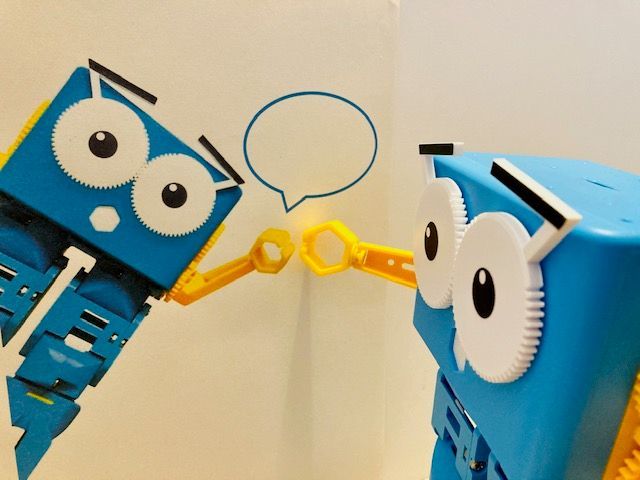
Develop literacy skills using Marty as an interviewer in this cross-curricular health and wellbeing activity
The Interview with a Robot
Age / stage
8 - 10
Estimated time
45 minutes
Difficulty
Beginner
Products
Marty V2

On this page

  1. Lesson overview
  2. Before you begin
  3. Get learning
  4. Further challenge ideas
  5. Additional reading
  6. Curriculum standards

Additional reading

  • Scotland Learns
  • How to get started with Blocks
  • Educator FAQ
  • Marty the Robot V2 - Educators Guide

Curriculum standards

30
Choose your curriculum to see the relevant standards.

30 of 30 linked standards shown.

Australian CurriculumAustralia2
Curriculum areaLinked standards
Digital Technologies, Design & technologies: Digital Technologies

Select a code to read the full standard.

Digital Technologies, Design & technologies: Digital Technologies

  • ACTDIP020Implement digital solutions as simple visual programs involving branching, iteration (repetition), and user input
  • ACTDIP022Plan, create and communicate ideas and information, including collaboratively online, applying agreed ethical, social and technical protocols
CSTA Education StandardsUSA2
Curriculum areaLinked standards
General standards

Select a code to read the full standard.

  • 1B-AP-10Create programs that include sequences, events, loops, and conditionals.
  • 1B-AP-13Use an iterative process to plan the development of a program by including others' perspectives and considering user preferences.
Curriculum for ExcellenceScotland20
Curriculum areaLinked standards
Health and Wellbeing: Mental, Emotional, Social and Physical Wellbeing
Literacy & English: Listening and Talking
Literacy & English: Writing
Technologies: Computing Science

Select a code to read the full standard.

Health and Wellbeing: Mental, Emotional, Social and Physical Wellbeing

  • HWB 0-01a / HWB 1-01a / HWB 2-01a / HWB 3-01a / HWB 4-01aMental and emotional wellbeing
  • HWB 0-02a / HWB 1-02a / HWB 2-02a / HWB 3-02a / HWB 4-02aMental and emotional wellbeing
  • HWB 0-05a / HWB 1-05a / HWB 2-05a / HWB 3-05a / HWB 4-05aMental and emotional wellbeing
  • HWB 0-10a / HWB 1-10a / HWB 2-10a / HWB 3-10a / HWB 4-10aSocial wellbeing
  • HWB 0-11a / HWB 1-11a / HWB 2-11a / HWB 3-11a / HWB 4-11Social wellbeing
  • HWB 0-13a / HWB 1-13a / HWB 2-13a / HWB 3-13a / HWB 4-13aSocial wellbeing
  • HWB 0-14a / HWB 1-14a / HWB 2-14a / HWB 3-14a / HWB 4-14aSocial wellbeing

Literacy & English: Listening and Talking

  • LIT 2-02aTools for listening and talking
  • LIT 2-04aFinding and using information
  • LIT 2-05aFinding and using information
  • LIT 2-07aUnderstanding, analysing and evaluating
  • LIT 2-09aCreating texts
  • LIT 2-10a / LIT 3-10aCreating texts

Literacy & English: Writing

  • LIT 1-20a / LIT 2-20aEnjoyment and choice
  • LIT 2-21aTools for writing
  • LIT 2-23aTools for writing
  • LIT 2-25aOrganising and using information
  • LIT 2-26aOrganising and using information

Technologies: Computing Science

  • TCH 2-13aUnderstanding the world through computational thinking
  • TCH 2-15aDesigning, building and testing computing solutions
England's National CurriculumEngland1
Curriculum areaLinked standards
Computing, Design and Technology: Computing

Select a code to read the full standard.

Computing, Design and Technology: Computing

  • ✔️Understand what algorithms are; how they are implemented as programs on digital devices; and that programs execute by following precise and unambiguous instructions
ISTEUSA3
Curriculum areaLinked standards
International Society for Technology in Education (ISTE)

Select a code to read the full standard.

International Society for Technology in Education (ISTE)

  • 2bStudents engage in positive, safe, legal and ethical behavior when using technology, including social interactions online or when using networked devices.
  • 4bStudents select and use digital tools to plan and manage a design process that considers design constraints and calculated risks.
  • 6aStudents choose the appropriate platforms and tools for meeting the desired objectives of their creation or communication.
TEKSUSA2
Curriculum areaLinked standards
Elementary Technology Applications: Grade 3 to Grade 5

Select a code to read the full standard.

Elementary Technology Applications: Grade 3 to Grade 5

  • 1.ACreativity and innovation. The student uses creative thinking and innovative processes to construct knowledge and develop digital products. The student is expected to: create original products using a variety of resources;
  • 2.ECommunication and collaboration. The student collaborates and communicates both locally and globally using digital tools and resources to reinforce and promote learning. The student is expected to: evaluate the product for relevance to the assignment or task;

Resources

Learner resources

  • Workbook for The Interview with a RobotFile links loading

Educator resources

  • Teacher GuideFile links loading
  • Presentation for The Interview with a RobotFile links loading

Solution resources

  • SolutionsFile links loading
The Cross-Curricular Learning Unit of Work
Unit overview
1Storytelling and Communicating with Marty
2Thinking about and Investigating Risk with Marty
3Teamwork Challenge with Marty
5Think Before you Walk! Safe Travel Skills
Previous stepTeamwork Challenge with Marty
Next stepThink Before you Walk! Safe Travel Skills

Lesson overview

This is the fourth of five lessons that focus on literacy, numeracy, and social and emotional learning in the context of THRIVING in challenging circumstances.

In this lesson, students will write questions for Marty to ask based on building positive mental and social wellbeing and relationships. Students will develop tools for listening and talking in addition to creating clear and relevant text. Students will then use Blocks to code Marty to interview them.

Learning objectives

  1. Students create clear and relevant questions based on building positive mental and social wellbeing and relationships.
  2. Learn how to make a Blocks sprite ask questions on-screen.
  3. Use blocks of code to make Marty ask questions, wait for answers and move as wanted for the interview.
  4. Students reflect on their answers to the interview.

Key vocabulary

  • Programming
  • Block coding
  • Sprite
  • Stage
  • Sensing
  • Interview
  • Strengths
  • Feelings

Prior learning

Experience of a variety of Blocks code: movement and looks

Cross-curricular links

Literacy and Health and Wellbeing across learning

Before you begin

Equipment

  • Scotland Learns
  • How to get started with Blocks
  • Educator FAQ
  • Marty the Robot V2 - Educators Guide

Get learning

TimingActivityPossible adaptations
Timing—
  1. Explain to students that they are going to code Marty to interview them and introduce the context of positive mental and social wellbeing and relationships. Get students to think and share possible questions for Marty. Work will be completed in MartyBlocks.
  2. Students need access to Blocks to follow steps in the Workbook to make a Marty sprite appear on the screen, then code Marty to get ready to start the interview. Students will learn the difference between actions that Marty the Robot makes and actions that the on-screen Marty sprite makes.
  3. Students should add questions of their choice into the code then check their routine for bugs.
  4. Interview time! After being interviewed by Marty, students can reflect on their talk with Marty.
Possible adaptations—

Further challenge ideas

  1. Students could explore jobs and careers where people help other other people and share their findings
  2. Student could compile their questions and some responses into an illustrated display to share with the wider school community
  3. Students who are soon to progress to secondary education could include questions to help them prepare for this next stage in their life and learning.

Unit resources

Learner resources

  • Storytelling and Communicating with Marty.zip
  • Thinking about and Investigating Risk with Marty.zip
  • Teamwork Challenge with Marty.zip
  • The Interview with a Robot.zip
  • Think Before you Walk! Safe Travel Skills.zip