1: Introducing Marty and Programming
Step 1 of 4: 0.01: Who is Marty the Robot?
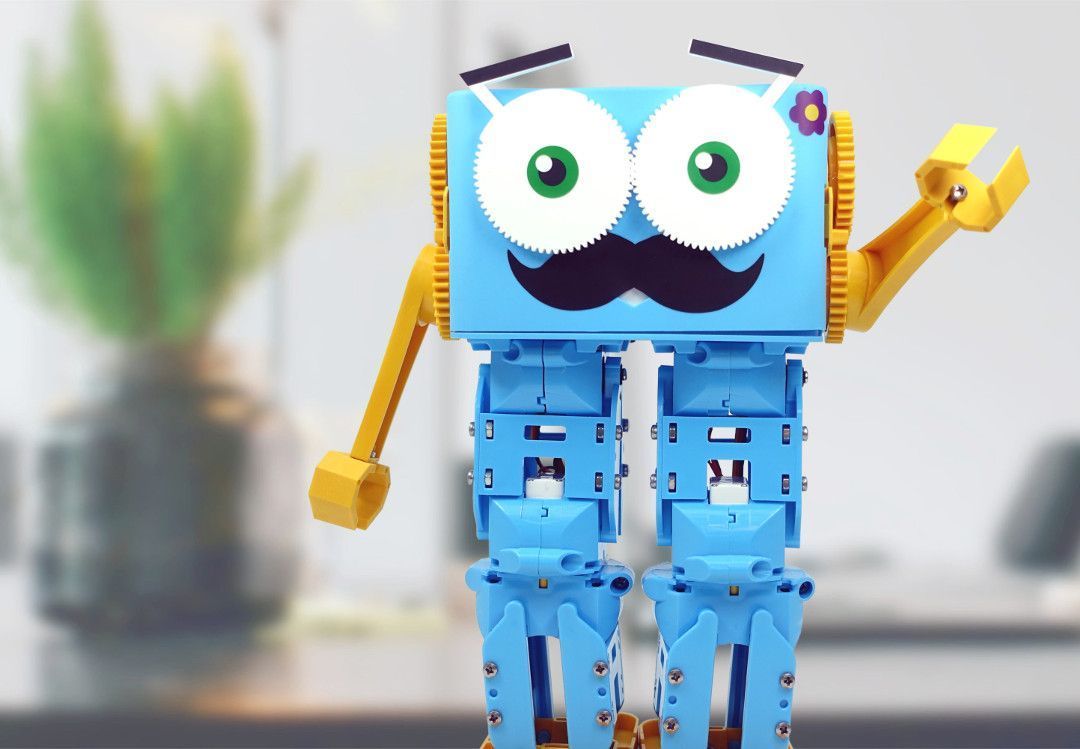
Meet Marty!
27 of 27 linked standards shown.
| Curriculum area | Linked standards |
|---|---|
| Digital Technologies, Design & technologies: Design & Technologies | |
| Digital Technologies, Design & technologies: Digital Technologies |
Select a code to read the full standard.
| Curriculum area | Linked standards |
|---|---|
| General standards |
Select a code to read the full standard.
| Curriculum area | Linked standards |
|---|---|
| Health and Wellbeing: Mental, Emotional, Social and Physical Wellbeing | |
| Health and Wellbeing: Physical Activity and Sport | |
| Literacy & English: Listening and Talking | |
| Technologies: Computing Science | |
| Technologies: Craft, Design, Engineering and Graphics |
Select a code to read the full standard.
| Curriculum area | Linked standards |
|---|---|
| Computing, Design and Technology: Computing | |
| Computing, Design and Technology: Design and Technology |
Select a code to read the full standard.
| Curriculum area | Linked standards |
|---|---|
| Computer Science: | |
| English Language Arts: Reading | |
| English Language Arts: Speaking and Listening | |
| English Language Arts: Writing |
Select a code to read the full standard.
| Curriculum area | Linked standards |
|---|---|
| International Society for Technology in Education (ISTE) |
Select a code to read the full standard.
| Curriculum area | Linked standards |
|---|---|
| Elementary Technology Applications: Kindergarten to Grade 2 |
Select a code to read the full standard.
This first lesson is an introduction to Marty and moving parts. Learners will take part in drama and movement activities to see how they move and create a paper model with moving parts to see where Marty's joints are.
None
Drama, Health and Wellbeing, Listening
| Timing | Activity | Possible adaptations |
|---|---|---|
| — | Warm-up:Start by reading the text that goes with the presentation, 'Presentation for Who is Marty', in the resources section. The notes will give you ideas for what you can say to support the presentation images. The start of the presentation is setting the scene that Marty is more than a toy and that Marty is a tool that can support our learning. | — |
| Timing | Activity | Possible adaptations |
|---|---|---|
| — | Get Learning:Following the text presentation, play ‘Marty Says’. All of the moves you will need to program are in the resource, 'Marty Says Code Samples'. Follow the instructions in the Teacher's Guide to see how to do this. If you do not want to program Marty, in the classroom, feel free to use the next part of the presentation, each slide will have a video, which showcases a movement. Additionally, the code blocks are also pasted into the teacher guide. The order of the slides can be changed as you want. The eyebrow wiggle is one of Marty's movements that learners will likely not be able to complete. It may take them a little while to realise that. Review the game and ask for some examples of what Marty moved. Identify where the movement starts. Introduce the word joint. | — |
| — | Time for PracticeThe following can be done as part of a whole class activity or in small groups. Have learners explore different movements they can make. Have a mirror type of activity where one learner creates a simple movement and a partner, group or the whole class mirrors that: this is not to be like a dance or walk / run; rather, it is the arm moving from the elbow or shoulder, a finger wiggling, a foot turning at the ankle, or something like that. Focus on where the movement starts - the joint. Have learners indicate the place that controls the movement by pointing to the joint on themselves or the person displaying the action. To extend the creativity of this, have learners pretend that they are a machine and that their movement does a job. Have learners think about why a robot might have this action: how would it help people; why might people not want to do it? Extend questions as needed. |
| Timing | Activity | Possible adaptations |
|---|---|---|
| — | Cool DownCelebrate the creative work that was accomplished: "You moved your arms or legs at the joints; you copied other people and a robot, you are able to move in some ways a robot can't!" Remind learners of the goals for the lesson, "Say what helps us move our arms and legs and point to the places that help us move." Ask learners if they think they did well with the lesson using a familiar formative assessment strategy: thumbs up for good, thumbs to the side for OK, thumbs down for not so good; a green, yellow or red card, indicating their thoughts; a one to one chat about the learning; whole class feedback using a PMI (plus, minus, interesting) approach; or some other strategy with which the learners are familiar. One strategy document is included in the resources. Read the closing part of the text to tie into the next lesson (from the Story Part 1 text). Carry out any end of lesson routines. Collect the paper Martys for later use, making sure their names are on each. Personalising the Martys with colour is also a possibility. | — |
Share the Marty paper resource with learners. This can be cut out beforehand or learners could use this to practise their cutting skills. Dotted lines are on the page for suggested cut lines, which could be prepared with a guillotine paper cutter - the rectangular cuts should be sufficient to highlight the movement at the joints. Learners will need to find the places where the limbs should be attached to allow Marty to move arms and legs. It might be helpful to say to learners that this isn't the way Marty's arms and legs move but it is the place where the movements start. It is a good idea to have hole punchers available to make the holes in the paper rather than using scissors to make the holes.
Support
|
