Skip to content
Learning Site
Home

About

  • About Robotical
  • Case Studies
  • Meet the Team
  • Blog
  • Contact Us

Our Products

  • Marty the Robot
  • Axiom
  • Cog

Teach

  • Lessons & Resources
  • Marty for Educators
  • Funding & Grants
  • Professional Development
  • Why Teach STEM?
  • Coding Environments
  • Student Led Learning

Let's Code

  • Marty the Robot
  • Code Online
  • Marty Apple App
  • Marty Android App
  • Update your Marty
  • Cog
  • Code Online
  • Cog iOS App
  • Cog Android App
  • Axiom
  • Axiom Science

Support

  • Marty Get Started
  • Cog Quick Start Guide
  • Axiom Science Quick Start Guide
  • Support & FAQs
  • Marty V2 User Guides
  • Marty V1 Resources
  • Request Support
  • Request Top-Up Training

Shop

  • Marty the Robot and Physical Computing
  • Class Packs
  • Add Ons & Extras
  • Account
  • Shipping, Returns & Cancellations
  • Distributors
HomeLessonsUnits of workCurriculum standardsTutorials

Information

  • Lessons & Resources
  • Knowledge Base & User Guides
  • About Us
  • Shipping, Returns & Cancellation
  • Privacy Policy
  • Learning site privacy
  • Terms of Service
  • Partner Hub

Support & Help

  • Support & Help Center
  • Getting Started with Marty V2
  • Getting Started with Marty V1

Learning, Resources & Guides

  • Marty V2 Lessons Site
  • Marty V1 Lessons Site

Contact Us in the UK

Stanhope House,12 Stanhope Place,Edinburgh,United Kingdom,EH12 5HH
(+44) 0131 564 0922
hello@robotical.io
Contact Us

Contact Us in the US

2810N Church St, PMB 61694,Wilmington,Delaware,USA19802-4447
(+1) 833 886 1661
hello@robotical.io
Contact Us

Why not join our mailing list?

For News, New Products and Special Offers

Join mailing list

Copyright 2016-2026 © Robotical Ltd

Step 1 of 4

1: Introducing Marty and Programming

Step 1 of 4: 0.01: Who is Marty the Robot?

  1. 10.01: Who is Marty the Robot?
Marty app
Current
Previous version unavailable

0.01: Who is Marty the Robot?

Meet Marty!
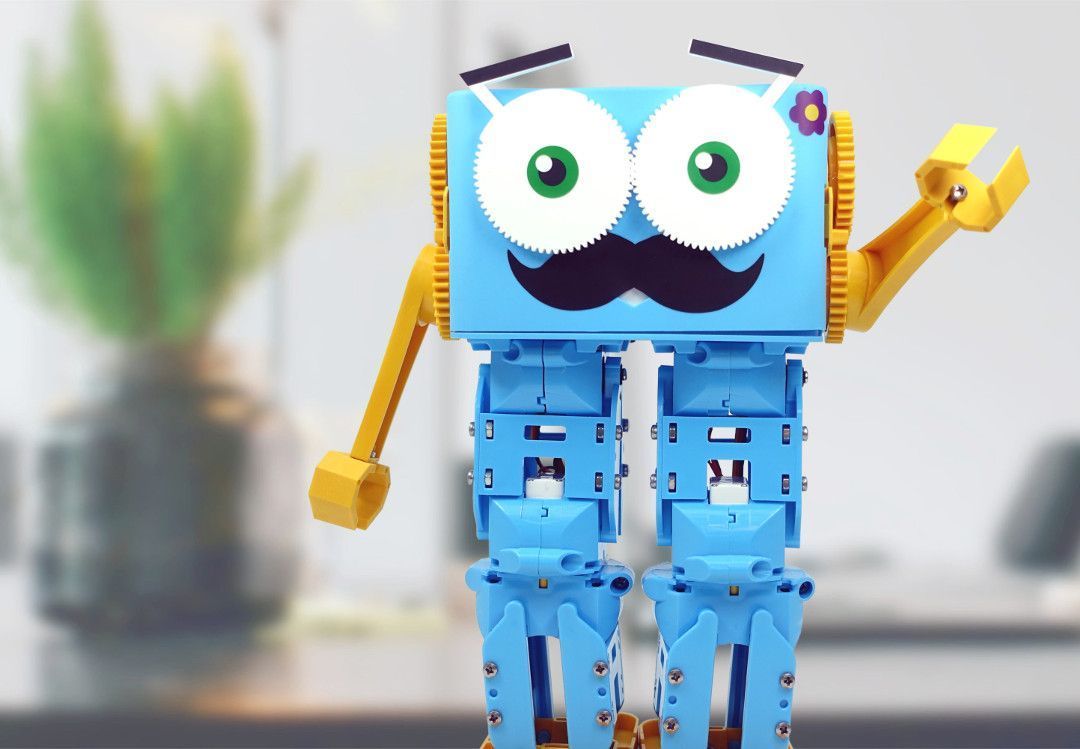
0.01: Who is Marty the Robot?
Age / stage
Age 4 or below
Estimated time
45 minutes
Difficulty
Beginner
Products
Marty V2

On this page

  1. Lesson overview
  2. Before you begin
  3. Warm-up
  4. Get learning
  5. Further challenge ideas
  6. Cool down
  7. Additional reading
  8. Curriculum standards

Additional reading

  • To use Marty as a model in the classroom, refer to this guide to set-up the device.

Curriculum standards

27
Choose your curriculum to see the relevant standards.

27 of 27 linked standards shown.

Australian CurriculumAustralia3
Curriculum areaLinked standards
Digital Technologies, Design & technologies: Design & Technologies
Digital Technologies, Design & technologies: Digital Technologies

Select a code to read the full standard.

Digital Technologies, Design & technologies: Design & Technologies

  • ACTDEP006Generate, develop and record design ideas through describing, drawing and modelling
  • ACTDEP007Use materials, components, tools, equipment and techniques to safely make designed solutions

Digital Technologies, Design & technologies: Digital Technologies

  • ACTDIK001Recognise and explore digital systems (hardware and software components) for a purpose
CSTA Education StandardsUSA2
Curriculum areaLinked standards
General standards

Select a code to read the full standard.

  • 1A-CS-02Use appropriate terminology in identifying and describing the function of common physical components of computing systems (hardware).
  • 1A-IC-16Compare how people live and work before and after the implementation or adoption of new computing technology.
Curriculum for ExcellenceScotland9
Curriculum areaLinked standards
Health and Wellbeing: Mental, Emotional, Social and Physical Wellbeing
Health and Wellbeing: Physical Activity and Sport
Literacy & English: Listening and Talking
Technologies: Computing Science
Technologies: Craft, Design, Engineering and Graphics

Select a code to read the full standard.

Health and Wellbeing: Mental, Emotional, Social and Physical Wellbeing

  • HWB 0-14a / HWB 1-14a / HWB 2-14a / HWB 3-14a / HWB 4-14aSocial wellbeing
  • HWB 0-15a / HWB 1-15a / HWB 2-15a / HWB 3-15a / HWB 4-15Physical wellbeing

Health and Wellbeing: Physical Activity and Sport

  • HWB 0-25aPhysical activity and sport

Literacy & English: Listening and Talking

  • LIT 0-02a / ENG 0-03aTools for listening and talking
  • LIT 0-04aFinding and using information
  • LIT 0-10aCreating texts

Technologies: Computing Science

  • TCH 0-13aUnderstanding the world through computational thinking
  • TCH 0-14bUnderstanding and analysing computing technology

Technologies: Craft, Design, Engineering and Graphics

  • TCH 0-09aDesign and construct models/product
England's National CurriculumEngland2
Curriculum areaLinked standards
Computing, Design and Technology: Computing
Computing, Design and Technology: Design and Technology

Select a code to read the full standard.

Computing, Design and Technology: Computing

  • ✔️Understand what algorithms are; how they are implemented as programs on digital devices; and that programs execute by following precise and unambiguous instructions

Computing, Design and Technology: Design and Technology

  • ✔️Design purposeful, functional, appealing products for themselves and other users based on design criteria
Georgia Standards of ExcellenceUSA7
Curriculum areaLinked standards
Computer Science:
English Language Arts: Reading
English Language Arts: Speaking and Listening
English Language Arts: Writing

Select a code to read the full standard.

Computer Science:

  • CSS.EL.3-5.1Identify the features of current technologies and use that knowledge to understand emerging technologies.
  • CSS.IDC.K-2.4.4Recognize that innovation in technology meets a range of needs (3D printing, coding, robotics, drones, etc.).

English Language Arts: Reading

  • ELAGSEKRI1With prompting and support, ask and answer questions about key details in a text.
  • ELAGSEKRI2With prompting and support, identify the main topic (main idea) and retell key details of a text (supporting details).

English Language Arts: Speaking and Listening

  • ELAGSE1SL2Ask and answer questions about key details in a text read aloud or information presented orally or through other media.
  • ELAGSE1SL3Ask and answer questions about what a speaker says in order to gather additional information or clarify something that is not understood.

English Language Arts: Writing

  • ELAGSEKW2Use a combination of drawing, dictating, and writing to compose informative/explanatory texts in which they name what they are writing about and supply some information about the topic.
ISTEUSA2
Curriculum areaLinked standards
International Society for Technology in Education (ISTE)

Select a code to read the full standard.

International Society for Technology in Education (ISTE)

  • 1dStudents understand the fundamental concepts of technology operations, demonstrate the ability to choose, use and troubleshoot current technologies and are able to transfer their knowledge to explore emerging technologies.
  • 2bStudents engage in positive, safe, legal and ethical behavior when using technology, including social interactions online or when using networked devices.
TEKSUSA2
Curriculum areaLinked standards
Elementary Technology Applications: Kindergarten to Grade 2

Select a code to read the full standard.

Elementary Technology Applications: Kindergarten to Grade 2

  • 3.CResearch and information fluency. The student acquires and evaluates digital content. The student is expected to: evaluate the usefulness of acquired digital content.
  • 6.ATechnology operations and concepts. The student demonstrates knowledge and appropriate use of technology systems, concepts, and operations. The student is expected to: use appropriate terminology regarding basic hardware, software applications, programs, networking, virtual environments, and emerging technologies;

Resources

Learner resources

  • Marty Body Diagram WorksheetFile links loading
  • Formative AssessmentFile links loading
  • Marty Says Code SamplesFile links loading
  • Story Text for the LessonFile links loading

Educator resources

  • Teacher GuideFile links loading
  • Presentation for Who is MartyFile links loading
1: Introducing Marty and Programming
Unit overview
20.02: What is a Program?
30.03 Marty's First Moves
40.04 Marty Finds and Fixes Mistakes
Next step0.02: What is a Program?

Lesson overview

This first lesson is an introduction to Marty and moving parts. Learners will take part in drama and movement activities to see how they move and create a paper model with moving parts to see where Marty's joints are.

Learning objectives

  • Say what helps us move our arms and legs

Key vocabulary

  • Robot
  • Movement
  • Joint
  • Code
  • Instructions

Prior learning

None

Cross-curricular links

Drama, Health and Wellbeing, Listening

Before you begin

Equipment

  • Marty the Robot
  • Workbook
  • Scissors
  • Paper Fasteners
  • Hole punchers

Warm-up

TimingActivityPossible adaptations
Timing—

Warm-up:

Start by reading the text that goes with the presentation, 'Presentation for Who is Marty', in the resources section. The notes will give you ideas for what you can say to support the presentation images. The start of the presentation is setting the scene that Marty is more than a toy and that Marty is a tool that can support our learning.

Possible adaptations—

Get learning

TimingActivityPossible adaptations
Timing—

Get Learning:

Following the text presentation, play ‘Marty Says’. All of the moves you will need to program are in the resource, 'Marty Says Code Samples'. Follow the instructions in the Teacher's Guide to see how to do this. If you do not want to program Marty, in the classroom, feel free to use the next part of the presentation, each slide will have a video, which showcases a movement. Additionally, the code blocks are also pasted into the teacher guide.

Watch on YouTube

The order of the slides can be changed as you want. The eyebrow wiggle is one of Marty's movements that learners will likely not be able to complete. It may take them a little while to realise that.

Review the game and ask for some examples of what Marty moved. Identify where the movement starts. Introduce the word joint.

Possible adaptations—
Timing—

Time for Practice

The following can be done as part of a whole class activity or in small groups.

Have learners explore different movements they can make. Have a mirror type of activity where one learner creates a simple movement and a partner, group or the whole class mirrors that: this is not to be like a dance or walk / run; rather, it is the arm moving from the elbow or shoulder, a finger wiggling, a foot turning at the ankle, or something like that. Focus on where the movement starts - the joint. Have learners indicate the place that controls the movement by pointing to the joint on themselves or the person displaying the action. To extend the creativity of this, have learners pretend that they are a machine and that their movement does a job. Have learners think about why a robot might have this action: how would it help people; why might people not want to do it? Extend questions as needed.

Cool down

TimingActivityPossible adaptations
Timing—

Cool Down

Celebrate the creative work that was accomplished: "You moved your arms or legs at the joints; you copied other people and a robot, you are able to move in some ways a robot can't!"

Remind learners of the goals for the lesson, "Say what helps us move our arms and legs and point to the places that help us move."

Ask learners if they think they did well with the lesson using a familiar formative assessment strategy: thumbs up for good, thumbs to the side for OK, thumbs down for not so good; a green, yellow or red card, indicating their thoughts; a one to one chat about the learning; whole class feedback using a PMI (plus, minus, interesting) approach; or some other strategy with which the learners are familiar. One strategy document is included in the resources.

Read the closing part of the text to tie into the next lesson (from the Story Part 1 text).

Carry out any end of lesson routines. Collect the paper Martys for later use, making sure their names are on each. Personalising the Martys with colour is also a possibility.

Possible adaptations—

Unit resources

Learner resources

  • 0.01 Who is Marty.zip
  • 0.02 What is a Program.zip
  • 0.03 Marty's First Moves.zip
  • 0.04 Marty Finds and Fixes Mistakes.zip

Share the Marty paper resource with learners. This can be cut out beforehand or learners could use this to practise their cutting skills. Dotted lines are on the page for suggested cut lines, which could be prepared with a guillotine paper cutter - the rectangular cuts should be sufficient to highlight the movement at the joints. Learners will need to find the places where the limbs should be attached to allow Marty to move arms and legs. It might be helpful to say to learners that this isn't the way Marty's arms and legs move but it is the place where the movements start. It is a good idea to have hole punchers available to make the holes in the paper rather than using scissors to make the holes.

Possible adaptations

Support

  • For learners with developmental co-ordination disorder (formerly dyspraxia) or general challenges with coordination, use toys in the classroom that have moving arms and legs to model the movements for the simple machine.
  • Ask for explanations about what the toy is doing and where the movement is controlled, support left and right awareness.

Further challenge ideas

Extend

  • Have learners think of combining movements to create a more complex machine. This could become a cooperative drama exercise.
  • After the creative work, have them think about the purpose of this more complex machine, as they did for the simple movements earlier in the lesson.
