Skip to content
Learning Site
Home

About

  • About Robotical
  • Case Studies
  • Meet the Team
  • Blog
  • Contact Us

Our Products

  • Marty the Robot
  • Axiom
  • Cog

Teach

  • Lessons & Resources
  • Marty for Educators
  • Funding & Grants
  • Professional Development
  • Why Teach STEM?
  • Coding Environments
  • Student Led Learning

Let's Code

  • Marty the Robot
  • Code Online
  • Marty Apple App
  • Marty Android App
  • Update your Marty
  • Cog
  • Code Online
  • Cog iOS App
  • Cog Android App
  • Axiom
  • Axiom Science

Support

  • Marty Get Started
  • Cog Quick Start Guide
  • Axiom Science Quick Start Guide
  • Support & FAQs
  • Marty V2 User Guides
  • Marty V1 Resources
  • Request Support
  • Request Top-Up Training

Shop

  • Marty the Robot and Physical Computing
  • Class Packs
  • Add Ons & Extras
  • Account
  • Shipping, Returns & Cancellations
  • Distributors
HomeLessonsUnits of workCurriculum standardsTutorials

Information

  • Lessons & Resources
  • Knowledge Base & User Guides
  • About Us
  • Shipping, Returns & Cancellation
  • Privacy Policy
  • Learning site privacy
  • Terms of Service
  • Partner Hub

Support & Help

  • Support & Help Center
  • Getting Started with Marty V2
  • Getting Started with Marty V1

Learning, Resources & Guides

  • Marty V2 Lessons Site
  • Marty V1 Lessons Site

Contact Us in the UK

Stanhope House,12 Stanhope Place,Edinburgh,United Kingdom,EH12 5HH
(+44) 0131 564 0922
hello@robotical.io
Contact Us

Contact Us in the US

2810N Church St, PMB 61694,Wilmington,Delaware,USA19802-4447
(+1) 833 886 1661
hello@robotical.io
Contact Us

Why not join our mailing list?

For News, New Products and Special Offers

Join mailing list

Copyright 2016-2026 © Robotical Ltd

All lessons
Marty app
CurrentPrevious

3.01: Secret Handshake

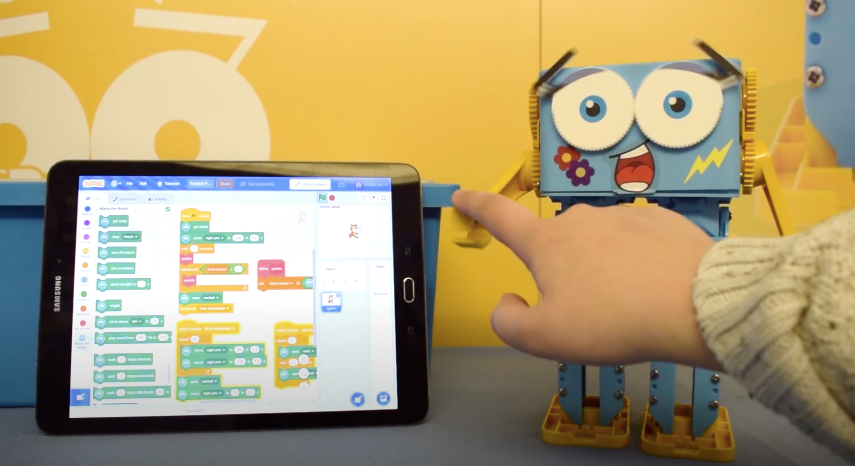
Use the position sensors on Marty's arm motors to detect when someone wants to shake hands. Then Marty will give them their first robot handshake!
3.01: Secret Handshake
Age / stage
11 - 13
Estimated time
45 minutes
Difficulty
Intermediate
Products
Marty V2

On this page

  1. Lesson overview
  2. Before you begin
  3. Get learning
  4. Further challenge ideas
  5. Additional reading
  6. Curriculum standards

Lesson overview

We have already looked at responding to obstacles using IR sensors, but another way to respond to the environment is to look at the position readings from the servo motors. Doing this, we can tell when pressure is placed on Marty’s arm, causing a small change in it's position and program him to respond, for example, to carry out a handshake with someone!

Learning objectives

  • Explore the position values that are being read from the servo motors during different movements/pressures
  • Understand that when pressure is placed on an arm the position recorded by the servo motor will change as the arm joint rotates
  • Program Marty to carry out a handshake when someone puts pressure on Marty’s arm

Key vocabulary

  • Servo
  • Motor reading
  • Pressure
  • Reaction/Response
  • Force

Prior learning

An understanding of the sensing blocks and conditional statements

Before you begin

Equipment

  • Marty the Robot
  • Marty Workbook
  • Tablet with Bluetooth 4.2+
  • Access to the Blocks editor

Get learning

TimingActivityPossible adaptations
Timing—
  1. We have already programmed Marty to respond to touch using IR sensors but another way we can do respond to the environment this is by reading the position values of the servo motors
  2. In small groups, get students to create variables that hold the motor position value for Marty’s left and right arms. Note down what the values are when his arms are positioned straight out in front of him, straight behind him and down by his side
  3. Explore the maximum and minimum values the servo motor position values can take. Are they what you would expect?
    1. Note: the servo motor position sensors don't have a full 360 degree range. Thus the maximum and minimum values are approximately -145 degrees and +145 degrees, smaller than you would expect for a full 360 degree range
  4. Program Marty to take part in a short handshake with someone when a small force is applied to his arm causing it to change position by a small amount
  5. Extend the handshake to create a unique and secret handshake between your group and Marty
Possible adaptations—

Further challenge ideas

  • Explore what the values are for the other joints with motors (the dropdown list will help if students aren’t sure which joints will have a motor reading associated!)
  • Program Marty to respond to a movement of these different joints – for example, on the eyes!

Additional reading

  • Educator’s Guide
  • Introduction to Programming with Blocks

Curriculum standards

21
Choose your curriculum to see the relevant standards.

21 of 21 linked standards shown.

Australian CurriculumAustralia4
Curriculum areaLinked standards
Digital Technologies, Design & technologies: Design & Technologies
Digital Technologies, Design & technologies: Digital Technologies

Select a code to read the full standard.

Digital Technologies, Design & technologies: Design & Technologies

  • ACTDEP036Generate, develop, test and communicate design ideas, plans and processes for various audiences using appropriate technical terms and technologies including graphical representation techniques
  • ACTDEP039Use project management processes when working individually and collaboratively to coordinate production of designed solutions

Digital Technologies, Design & technologies: Digital Technologies

  • ACTDIP025Acquire data from a range of sources and evaluate authenticity, accuracy and timeliness
  • ACTDIP030Implement and modify programs with user interfaces involving branching, iteration and functions in a general-purpose programming language
CSTA Education StandardsUSA2
Curriculum areaLinked standards
General standards

Select a code to read the full standard.

  • 2-AP-13Decompose problems and subproblems into parts to facilitate the design, implementation, and review of programs.
  • 2-AP-15Seek and incorporate feedback from team members and users to refine a solution that meets user needs.
Curriculum for ExcellenceScotland9
Curriculum areaLinked standards
Health and Wellbeing: Mental, Emotional, Social and Physical Wellbeing
Literacy & English: Listening and Talking
Literacy & English: Writing
Technologies: Computing Science

Select a code to read the full standard.

Health and Wellbeing: Mental, Emotional, Social and Physical Wellbeing

  • HWB 0-11a / HWB 1-11a / HWB 2-11a / HWB 3-11a / HWB 4-11Social wellbeing
  • HWB 0-14a / HWB 1-14a / HWB 2-14a / HWB 3-14a / HWB 4-14aSocial wellbeing

Literacy & English: Listening and Talking

  • LIT 3-02aTools for listening and talking
  • LIT 3-05a / LIT 4-05aFinding and using information
  • LIT 3-07aUnderstanding, analysing and evaluating

Literacy & English: Writing

  • LIT 3-23aTools for writing
  • LIT 3-25aOrganising and using information

Technologies: Computing Science

  • TCH 3-13aUnderstanding the world through computational thinking
  • TCH 3-14bUnderstanding and analysing computing technology
England's National CurriculumEngland2
Curriculum areaLinked standards
Computing, Design and Technology: Computing
Computing, Design and Technology: Design and Technology

Select a code to read the full standard.

Computing, Design and Technology: Computing

  • ✔️Understand what algorithms are; how they are implemented as programs on digital devices; and that programs execute by following precise and unambiguous instructions

Computing, Design and Technology: Design and Technology

  • ✔️Design purposeful, functional, appealing products for themselves and other users based on design criteria
ISTEUSA2
Curriculum areaLinked standards
International Society for Technology in Education (ISTE)

Select a code to read the full standard.

International Society for Technology in Education (ISTE)

  • 1cStudents use technology to seek feedback that informs and improves their practice and to demonstrate their learning in a variety of ways.
  • 4cStudents develop, test and refine prototypes as part of a cyclical design process.
TEKSUSA2
Curriculum areaLinked standards
Middle School Technology Applications: Grade 6 to Grade 8

Select a code to read the full standard.

Middle School Technology Applications: Grade 6 to Grade 8

  • 1.DCreativity and innovation. The student uses creative thinking and innovative processes to construct knowledge, generate new ideas, and create products. The student is expected to: discuss trends and possible outcomes.
  • 6.ETechnology operations and concepts. The student demonstrates a thorough understanding of technology concepts, systems, and operations. The student is expected to: identify, understand, and use hardware systems;

Resources

Learner resources

  • Student Workbook for Secret HandshakeFile links loading

Educator resources

  • Teacher GuideFile links loading
  • Presentation Slides for Secret HandshakeFile links loading

Solution resources

  • Solutions for Secret HandshakeFile links loading