Skip to content
Learning Site
Home

About

  • About Robotical
  • Case Studies
  • Meet the Team
  • Blog
  • Contact Us

Our Products

  • Marty the Robot
  • Axiom
  • Cog

Teach

  • Lessons & Resources
  • Marty for Educators
  • Funding & Grants
  • Professional Development
  • Why Teach STEM?
  • Coding Environments
  • Student Led Learning

Let's Code

  • Marty the Robot
  • Code Online
  • Marty Apple App
  • Marty Android App
  • Update your Marty
  • Cog
  • Code Online
  • Cog iOS App
  • Cog Android App
  • Axiom
  • Axiom Science

Support

  • Marty Get Started
  • Cog Quick Start Guide
  • Axiom Science Quick Start Guide
  • Support & FAQs
  • Marty V2 User Guides
  • Marty V1 Resources
  • Request Support
  • Request Top-Up Training

Shop

  • Marty the Robot and Physical Computing
  • Class Packs
  • Add Ons & Extras
  • Account
  • Shipping, Returns & Cancellations
  • Distributors
HomeLessonsUnits of workCurriculum standardsTutorials

Information

  • Lessons & Resources
  • Knowledge Base & User Guides
  • About Us
  • Shipping, Returns & Cancellation
  • Privacy Policy
  • Learning site privacy
  • Terms of Service
  • Partner Hub

Support & Help

  • Support & Help Center
  • Getting Started with Marty V2
  • Getting Started with Marty V1

Learning, Resources & Guides

  • Marty V2 Lessons Site
  • Marty V1 Lessons Site

Contact Us in the UK

Stanhope House,12 Stanhope Place,Edinburgh,United Kingdom,EH12 5HH
(+44) 0131 564 0922
hello@robotical.io
Contact Us

Contact Us in the US

2810N Church St, PMB 61694,Wilmington,Delaware,USA19802-4447
(+1) 833 886 1661
hello@robotical.io
Contact Us

Why not join our mailing list?

For News, New Products and Special Offers

Join mailing list

Copyright 2016-2026 © Robotical Ltd

All lessons
Marty app
CurrentPrevious

3.03: Introducing Functions

Learn about functions and why we use them in programs. Then create some functions of your own using Marty.
3.03: Introducing Functions
Age / stage
11 - 13
Estimated time
60 minutes
Difficulty
Intermediate
Products
Marty V2

On this page

  1. Lesson overview
  2. Before you begin
  3. Warm-up
  4. Get learning
  5. Further challenge ideas
  6. Cool down
  7. Additional reading
  8. Curriculum standards

Additional reading

What are the My Blocks

Curriculum standards

21
Choose your curriculum to see the relevant standards.

21 of 21 linked standards shown.

Australian CurriculumAustralia4
Curriculum areaLinked standards
Digital Technologies, Design & technologies: Design & Technologies
Digital Technologies, Design & technologies: Digital Technologies

Select a code to read the full standard.

Digital Technologies, Design & technologies: Design & Technologies

  • ACTDEP036Generate, develop, test and communicate design ideas, plans and processes for various audiences using appropriate technical terms and technologies including graphical representation techniques
  • ACTDEP039Use project management processes when working individually and collaboratively to coordinate production of designed solutions

Digital Technologies, Design & technologies: Digital Technologies

  • ACTDIP030Implement and modify programs with user interfaces involving branching, iteration and functions in a general-purpose programming language
  • ACTDIP032Plan and manage projects that create and communicate ideas and information collaboratively online, taking safety and social contexts into account
CSTA Education StandardsUSA2
Curriculum areaLinked standards
General standards

Select a code to read the full standard.

  • 2-AP-13Decompose problems and subproblems into parts to facilitate the design, implementation, and review of programs.
  • 2-AP-17Systematically test and refine programs using a range of test cases.
Curriculum for ExcellenceScotland9
Curriculum areaLinked standards
Health and Wellbeing: Mental, Emotional, Social and Physical Wellbeing
Literacy & English: Listening and Talking
Literacy & English: Writing
Technologies: Computing Science

Select a code to read the full standard.

Health and Wellbeing: Mental, Emotional, Social and Physical Wellbeing

  • HWB 0-14a / HWB 1-14a / HWB 2-14a / HWB 3-14a / HWB 4-14aSocial wellbeing

Literacy & English: Listening and Talking

  • LIT 3-02aTools for listening and talking
  • LIT 3-04aFinding and using information

Literacy & English: Writing

  • LIT 3-20a / LIT 4-20aEnjoyment and choice
  • LIT 3-22a / LIT 4-22aTools for writing

Technologies: Computing Science

  • TCH 3-13aUnderstanding the world through computational thinking
  • TCH 3-13bUnderstanding the world through computational thinking
  • TCH 3-14bUnderstanding and analysing computing technology
  • TCH 3-15aDesigning, building and testing computing solutions
England's National CurriculumEngland2
Curriculum areaLinked standards
Computing, Design and Technology: Computing
Computing, Design and Technology: Design and Technology

Select a code to read the full standard.

Computing, Design and Technology: Computing

  • ✔️Understand what algorithms are; how they are implemented as programs on digital devices; and that programs execute by following precise and unambiguous instructions

Computing, Design and Technology: Design and Technology

  • ✔️Design purposeful, functional, appealing products for themselves and other users based on design criteria
ISTEUSA2
Curriculum areaLinked standards
International Society for Technology in Education (ISTE)

Select a code to read the full standard.

International Society for Technology in Education (ISTE)

  • 1dStudents understand the fundamental concepts of technology operations, demonstrate the ability to choose, use and troubleshoot current technologies and are able to transfer their knowledge to explore emerging technologies.
  • 4dStudents exhibit a tolerance for ambiguity, perseverance and the capacity to work with open-ended problems.
TEKSUSA2
Curriculum areaLinked standards
Middle School Technology Applications: Grade 6 to Grade 8

Select a code to read the full standard.

Middle School Technology Applications: Grade 6 to Grade 8

  • 4.BCritical thinking, problem solving, and decision making. The student makes informed decisions by applying critical-thinking and problem-solving skills. The student is expected to: plan and manage activities to develop a solution, design a computer program, or complete a project;
  • 6.ETechnology operations and concepts. The student demonstrates a thorough understanding of technology concepts, systems, and operations. The student is expected to: identify, understand, and use hardware systems;

Resources

Learner resources

  • 3.03 Introducing Functions Student WorkbookFile links loading

Educator resources

  • 3.03 Introducing Functions Teacher GuideFile links loading

Lesson overview

In this lesson, learners will be introduced to functions and explore how they are used to organise and simplify code. Functions are a fundamental programming concept that reduce repetition by grouping together a set of instructions to perform a specific task.

Learners will begin by reflecting on games they have played before and identifying repeated actions or tactics. This draws a parallel between these patterns and functions in a program. They will then apply this understanding in Blocks by either refactoring existing code into reusable functions or extending projects using pre-built functions already available in the platform.

Learning objectives

  • I can define the purpose of a function.
  • I can use functions to make a program easier to read and understand.

Key vocabulary

  • function
  • readability
  • debugging

Prior learning

Experience using sensors and variables

Before you begin

Equipment

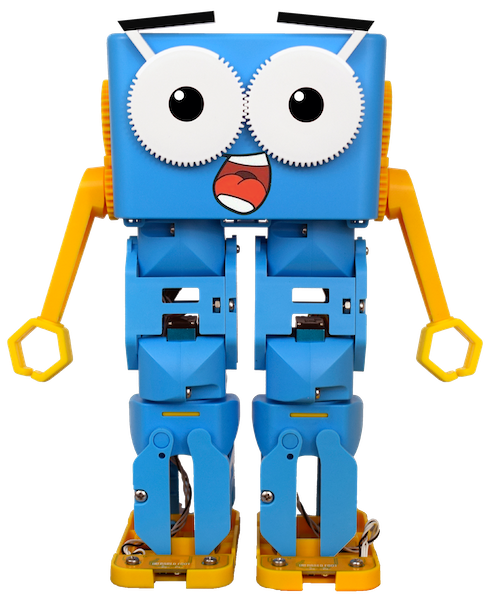
  • Marty the Robot V2
  • Marty Workbook
  • A device for programming each Marty, e.g., a laptop or tablet.
  • Access to the Blocks platform

Warm-up

TimingActivityPossible adaptations
Timing—

Warm up

Ask learners to think about playground games they have played. Can they remember a game they regularly won because they discovered a good tactic, or one where another player always seemed to win using the same strategy? Did it ever feel like they had a "secret trick"?

Some examples include

  • Simon Says
  • Duck, Duck, Goose
  • Capture the Flag
  • Dodgeball
  • Three-legged Race
  • Hide and Seek

Using “Duck, Duck, Goose” as an example, discuss the different strategies for each role in the game.

For someone sitting in the circle:

  • Watch the person moving around the circle.
  • Prepare to stand by placing hands on the ground.
  • Keep feet planted and knees bent, ready to move quickly.

For the person walking around the circle:

  • Watch for distracted players.
  • Avoid choosing someone who is already watching closely.
  • Be ready to move as soon as you tap someone.

Explain that these strategies are similar to **functions** in programming. Each role has a specific set of actions that can be repeated whenever that role is performed. Rather than writing those actions over and over again, programmers group them into functions that can be reused whenever needed.

Working in small groups, ask learners to choose one playground game and research the rules if necessary. They should identify:

  • how the game is played
  • whether there are teams or individual player
  • how a winner is decided
  • one tactic that gives a player the best chance of winning

Get learning

TimingActivityPossible adaptations
Timing—

Get learning

Once groups have chosen a tactic, ask them to write it as pseudocode and give it a meaningful function name. They should then explain where that function would fit within the overall "program" of the game and describe how it could be reused throughout the game.

Invite each group to share their function with the class.

Next, introduce My Blocks in Blocks, explaining that this is where learners can create their own reusable functions.

Demonstrate Marty's Walk Forward command several times, encouraging learners to observe the individual movements that make up a single walking action.

Learners should then open the Marty Controller and repeatedly use the walk command, slowing the movement if necessary. Challenge groups to identify the sequence of individual actions that combine to create a walk and discuss how these could be grouped into a single reusable function.

Allow time for learners to compare their ideas before discussing the sequence together.

Possible adaptations—
Timing—

Time for practice

Next, ask learners to investigate the Kick action. Encourage them to watch the movement several times and identify each step in the sequence. They should pay particular attention to the timing of movements and notice where actions happen one after another or at the same time.

Cool down

TimingActivityPossible adaptations
Timing—

Cool down

Bring the class back together and invite groups to demonstrate their work, explaining how their functions operate and why they structured them in that way. Encourage classmates to ask questions and compare different approaches.

Use the following questions to support discussion:

  • Would you use functions every time you write code? Why or why not?
  • What are the benefits of using functions?
  • If your program contained a bug, would functions make it easier or harder to find the problem? Why?
  • Can you think of other situations where repeating the same instructions would be useful?

Finish with your usual end-of-lesson routines before asking learners to log off their devices and tidy away their equipment.

Possible adaptations—

As learners work, circulate and ask questions such as:

  • Why do you think this movement is made up of several smaller actions?
  • Which parts of the sequence could be reused elsewhere?
  • Why are functions useful when programming complex movements?

If possible, encourage learners to observe other groups' ideas and discuss the different ways they approached the task.

Allow time for groups to demonstrate the functions they have created. Discuss how much longer it would take to program movements such as dancing if every individual step had to be recreated each time, reinforcing that reusable functions save time, reduce repetition and make programs easier to understand.

Possible adaptations—

Further challenge ideas