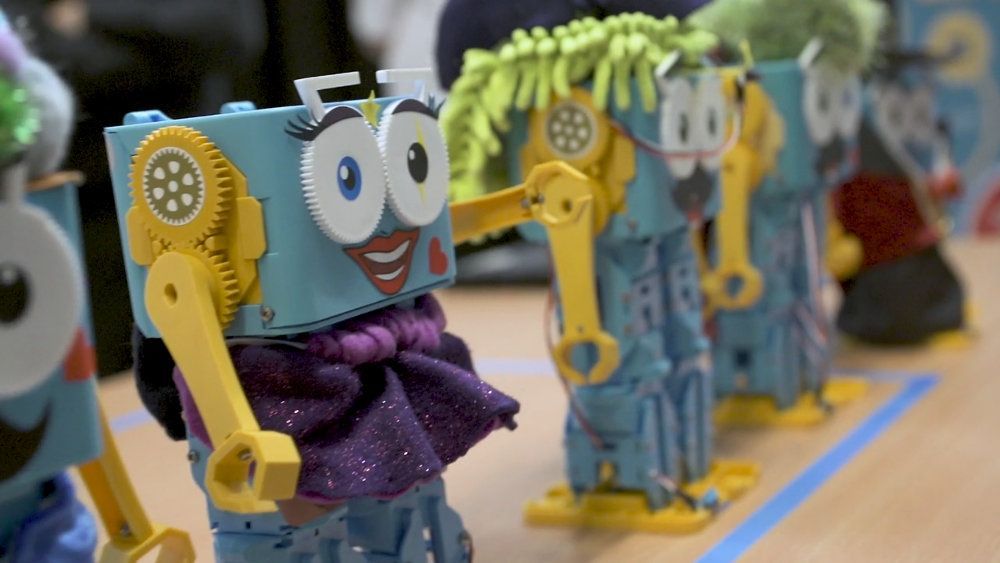
In this lesson, students will be putting together their first scripts using IDLE so that they can have a list of Python commands to control Marty. From doing this, students will start to build up a dance routine for Marty and have a small dance-off in the class.
Knowledge of Python commands; experience with documentation
Expressive Arts
| Timing | Activity | Possible adaptations |
|---|---|---|
| — | Warm-upHave a few video clips of different dance routines over the years, or use this example, here: dance trends. Have learners talk together about the different combined movements required for each of the routines. Encourage learners to use their own bodies to emulate one of more of the moves from a dance. It may help to quickly sketch out stick figures and brief captions for the movement. | — |
| Timing | Activity | Possible adaptations |
|---|---|---|
| — | Get LearningGiven the wide range of movements they may have identified, have learners open their editor for python. Demonstrate the options they have: trying one command at a time in the IDLE window, or any other program for coding; using a text editor, then pasting a sequence of movements into the program. Ask learners which they think is best - there is no correct answer at this point, there are good reasons for programming one line at a time and good reasons for programming entire sequences but you will only see the full dance when it is loaded in its entirety. Testing moves one line at a time in IDLE, or the other program, is a good idea, but saving in a text editor as the program grows, in order to see how moves flow from one to the next, is also worthwhile. Ensure that each step performed is explained as it carried out: copying, pasting, running, saving, editing, etc. Let learners have free reign to create a routine for Marty. Encourage trial and error throughout the lesson and reassure them that there will be mistakes as they build the routine so the initial focus needs to be on writing code, rather than writing perfect code. Also, have learners comment their code: the # is used, at the start of a line, in python and can be used to describe times where learners overcame a hurdle; were impressed by the code; needed to include an explanation as to what the code was doing; or needed to work on the timing of the move, the distance required for the movement or something else. Learners need to write, test, repeat. This will take time for a first attempt at a program so this should be given more time than one lesson. Once all routines are complete, allow for a dance-off. If some groups finish early, encourage collaboration - have finished groups share insights if other groups are stuck. Additionally, finished groups might get some motivation from visiting other groups and then returning to tweak their work, without copying. Highlight that this is not a race to complete the code. | SupportPaired programming should continue to be the norm when developing the code so that one is typing while the group is discussing / planning / illustrating the routine; however, having cards with the key commands for a dance routine on each desk should be available to allow each group member the opportunity to be the one typing the commands. |
Have learners look to make the code more efficient. By this time, loops and conditionals have not be discussed, for use in Python; have them independently search for how they could be applied.
| Timing | Activity | Possible adaptations |
|---|---|---|
| — | Wrap-upFor each wrap-up, bring learners together to share successes and challenges. Encourage collaboration so that groups facing challenges share how they overcame any challenges with others. | — |
21 of 21 linked standards shown.
| Curriculum area | Linked standards |
|---|---|
| Digital Technologies, Design & technologies: Design & Technologies | |
| Digital Technologies, Design & technologies: Digital Technologies |
Select a code to read the full standard.
| Curriculum area | Linked standards |
|---|---|
| General standards |
Select a code to read the full standard.
| Curriculum area | Linked standards |
|---|---|
| Health and Wellbeing: Mental, Emotional, Social and Physical Wellbeing | |
| Literacy & English: Listening and Talking | |
| Literacy & English: Reading | |
| Literacy & English: Writing | |
| Technologies: Computing Science |
Select a code to read the full standard.
| Curriculum area | Linked standards |
|---|---|
| Computing, Design and Technology: Computing |
Select a code to read the full standard.
| Curriculum area | Linked standards |
|---|---|
| International Society for Technology in Education (ISTE) |
Select a code to read the full standard.