Skip to content
Learning Site
Home

About

  • About Robotical
  • Case Studies
  • Meet the Team
  • Blog
  • Contact Us

Our Products

  • Marty the Robot
  • Axiom
  • Cog

Teach

  • Lessons & Resources
  • Marty for Educators
  • Funding & Grants
  • Professional Development
  • Why Teach STEM?
  • Coding Environments
  • Student Led Learning

Let's Code

  • Marty the Robot
  • Code Online
  • Marty Apple App
  • Marty Android App
  • Update your Marty
  • Cog
  • Code Online
  • Cog iOS App
  • Cog Android App
  • Axiom
  • Axiom Science

Support

  • Marty Get Started
  • Cog Quick Start Guide
  • Axiom Science Quick Start Guide
  • Support & FAQs
  • Marty V2 User Guides
  • Marty V1 Resources
  • Request Support
  • Request Top-Up Training

Shop

  • Marty the Robot and Physical Computing
  • Class Packs
  • Add Ons & Extras
  • Account
  • Shipping, Returns & Cancellations
  • Distributors
HomeLessonsUnits of workCurriculum standardsTutorials

Information

  • Lessons & Resources
  • Knowledge Base & User Guides
  • About Us
  • Shipping, Returns & Cancellation
  • Privacy Policy
  • Learning site privacy
  • Terms of Service
  • Partner Hub

Support & Help

  • Support & Help Center
  • Getting Started with Marty V2
  • Getting Started with Marty V1

Learning, Resources & Guides

  • Marty V2 Lessons Site
  • Marty V1 Lessons Site

Contact Us in the UK

Stanhope House,12 Stanhope Place,Edinburgh,United Kingdom,EH12 5HH
(+44) 0131 564 0922
hello@robotical.io
Contact Us

Contact Us in the US

2810N Church St, PMB 61694,Wilmington,Delaware,USA19802-4447
(+1) 833 886 1661
hello@robotical.io
Contact Us

Why not join our mailing list?

For News, New Products and Special Offers

Join mailing list

Copyright 2016-2026 © Robotical Ltd

All lessons
Marty app
CurrentPrevious

Storytelling and Communicating with Marty

Develop literacy skills by creating a story around Marty
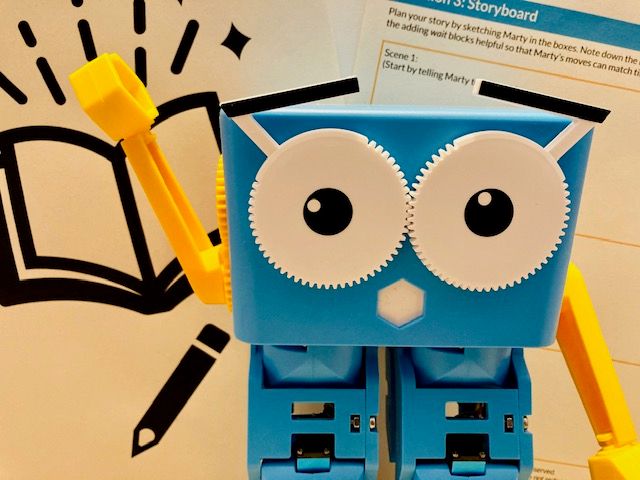
Storytelling and Communicating with Marty
Estimated time
45 minutes
Difficulty
Beginner
Products
Marty V2

On this page

  1. Lesson overview
  2. Objectives & resources
  3. Key vocabulary
  4. Lesson plan
  5. Extensions and challenges
  6. Additional reading
  7. Curriculum standards

Extensions and challenges

  • Encourage students to think about how they would improve their small programs and add further descriptive detail to their story and try to implement the ideas themselves.
  • If students have knowledge of sound blocks, explore adding sound effects to the story.
  • Stories could be recorded and pupils could put together a project showing the development of their Marty story from storyboard sketch through to final output.

Additional reading

  • How to get started with MartyBlocks
  • Educator FAQ
  • Marty the Robot V2 - Educators Guide

Curriculum standards

20
Choose your curriculum to see the relevant standards.

20 of 20 linked standards shown.

Australian CurriculumAustralia2
Curriculum areaLinked standards
Digital Technologies, Design & technologies: Digital Technologies

Select a code to read the full standard.

Digital Technologies, Design & technologies: Digital Technologies

  • ACTDIP019Design, modify and follow simple algorithms involving sequences of steps, branching, and iteration (repetition)
  • ACTDIP020Implement digital solutions as simple visual programs involving branching, iteration (repetition), and user input
CSTA Education StandardsUSA3
Curriculum areaLinked standards
General standards

Select a code to read the full standard.

  • 1B-AP-10Create programs that include sequences, events, loops, and conditionals.
  • 1B-AP-16Take on varying roles, with teacher guidance, when collaborating with peers during the design, implementation, and review stages of program development.
  • 1B-IC-20Seek diverse perspectives for the purpose of improving computational artifacts.
Curriculum for ExcellenceScotland10
Curriculum areaLinked standards
Health and Wellbeing: Mental, Emotional, Social and Physical Wellbeing
Literacy & English: Listening and Talking
Literacy & English: Reading
Literacy & English: Writing
Technologies: Computing Science

Select a code to read the full standard.

Health and Wellbeing: Mental, Emotional, Social and Physical Wellbeing

  • HWB 0-14a / HWB 1-14a / HWB 2-14a / HWB 3-14a / HWB 4-14aSocial wellbeing

Literacy & English: Listening and Talking

  • LIT 2-02aTools for listening and talking
  • LIT 2-07aUnderstanding, analysing and evaluating

Literacy & English: Reading

  • LIT 2-15aFinding and using information

Literacy & English: Writing

  • LIT 1-20a / LIT 2-20aEnjoyment and choice
  • LIT 2-23aTools for writing
  • LIT 2-24aTools for writing
  • LIT 2-26aOrganising and using information

Technologies: Computing Science

  • TCH 2-13aUnderstanding the world through computational thinking
  • TCH 2-15aDesigning, building and testing computing solutions
England's National CurriculumEngland2
Curriculum areaLinked standards
Computing, Design and Technology: Computing
Computing, Design and Technology: Design and Technology

Select a code to read the full standard.

Computing, Design and Technology: Computing

  • ✔️Understand what algorithms are; how they are implemented as programs on digital devices; and that programs execute by following precise and unambiguous instructions

Computing, Design and Technology: Design and Technology

  • ✔️Design purposeful, functional, appealing products for themselves and other users based on design criteria
ISTEUSA3
Curriculum areaLinked standards
International Society for Technology in Education (ISTE)

Select a code to read the full standard.

International Society for Technology in Education (ISTE)

  • 1aStudents articulate and set personal learning goals, develop strategies leveraging technology to achieve them and reflect on the learning process itself to improve learning outcomes.
  • 1cStudents use technology to seek feedback that informs and improves their practice and to demonstrate their learning in a variety of ways.
  • 4dStudents exhibit a tolerance for ambiguity, perseverance and the capacity to work with open-ended problems.

Resources

Learner resources

  • Video Example Marty Story lesson 2.07File links loading
  • Workbook for Communication through StorytellingFile links loading

Educator resources

  • Teacher GuideFile links loading
  • Presentation for Storytelling and Communicating with MartyFile links loading

Solution resources

  • SolutionsFile links loading

Lesson overview

This is the first of five lessons that focus on literacy, numeracy, and social and emotional learning in the context of "THRIVING in challenging circumstances".

In this lesson, students will create a text about Marty. Students will develop character, setting, and plot then use MartyBlocks motion blocks to code Marty to move while they tell their story.

Prerequisite knowledge

Knowledge of conditional statements and loops

Cross-curricular links

Literacy across learning

Learning objectives

  1. Students create a text of their choice and structure their story in a way that makes sense to the audience.
  2. Describe events and develop ideas around characters, setting and plot using suitable vocabulary.
  3. Convey information in different ways including text, speech and graphics.
  4. Use blocks of code to make Marty move as needed for the story.

Resources and equipment

  • Plain paper
  • colouring pens/pencils
  • Optional: additional props or Marty costumes as needed

Key vocabulary

  • Programming
  • Block coding
  • Plot
  • Character
  • Setting a scene
  • Storyboard

Lesson plan

  1. Use the example video and/or MartyBlocks code to brainstorm a matching storyline for Marty. Share ideas.
  2. Ask students to decide on a setting for their own Marty story.
  3. Students should decide on a fictional character for Marty in their story, explore how Marty might feel during the story and how Marty can be described.
  4. Explain to students that they are going to make a storyboard to plan the scenes that make up their story and the moves that Marty will need to make.
  5. Using their information about setting, character and plot, ask students to write their Marty story.
  6. Students need access to MartyBlocks to put motion code blocks together to make Marty act the storyline.
  7. Performance time! After practicing their storytelling and working out the timings for Marty, students can share their work with the class.
