Skip to content
Learning Site
Home

About

  • About Robotical
  • Case Studies
  • Meet the Team
  • Blog
  • Contact Us

Our Products

  • Marty the Robot
  • Axiom
  • Cog

Teach

  • Lessons & Resources
  • Marty for Educators
  • Funding & Grants
  • Professional Development
  • Why Teach STEM?
  • Coding Environments
  • Student Led Learning

Let's Code

  • Marty the Robot
  • Code Online
  • Marty Apple App
  • Marty Android App
  • Update your Marty
  • Cog
  • Code Online
  • Cog iOS App
  • Cog Android App
  • Axiom
  • Axiom Science

Support

  • Marty Get Started
  • Cog Quick Start Guide
  • Axiom Science Quick Start Guide
  • Support & FAQs
  • Marty V2 User Guides
  • Marty V1 Resources
  • Request Support
  • Request Top-Up Training

Shop

  • Marty the Robot and Physical Computing
  • Class Packs
  • Add Ons & Extras
  • Account
  • Shipping, Returns & Cancellations
  • Distributors
HomeLessonsUnits of workCurriculum standardsTutorials

Information

  • Lessons & Resources
  • Knowledge Base & User Guides
  • About Us
  • Shipping, Returns & Cancellation
  • Privacy Policy
  • Learning site privacy
  • Terms of Service
  • Partner Hub

Support & Help

  • Support & Help Center
  • Getting Started with Marty V2
  • Getting Started with Marty V1

Learning, Resources & Guides

  • Marty V2 Lessons Site
  • Marty V1 Lessons Site

Contact Us in the UK

Stanhope House,12 Stanhope Place,Edinburgh,United Kingdom,EH12 5HH
(+44) 0131 564 0922
hello@robotical.io
Contact Us

Contact Us in the US

2810N Church St, PMB 61694,Wilmington,Delaware,USA19802-4447
(+1) 833 886 1661
hello@robotical.io
Contact Us

Why not join our mailing list?

For News, New Products and Special Offers

Join mailing list

Copyright 2016-2026 © Robotical Ltd

All lessons
Marty app
CurrentPrevious

1.07 Marty using Blocks Jr on the Farm

Navigating and inspecting the crops
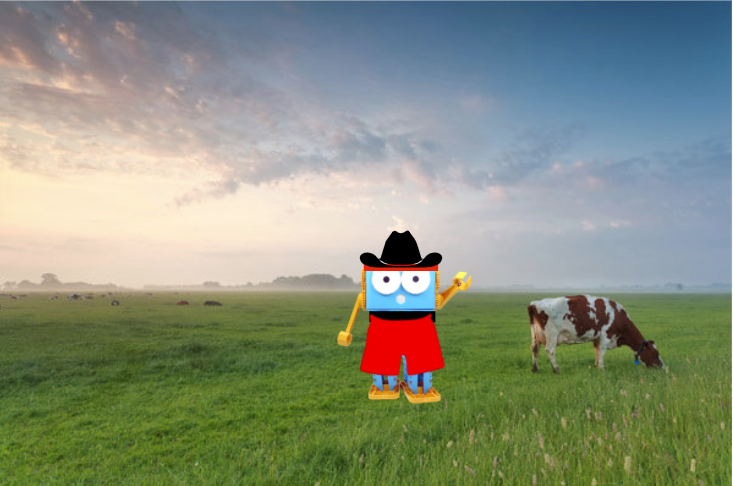
1.07 Marty using Blocks Jr on the Farm
Age / stage
5 - 7
Estimated time
45 minutes
Difficulty
Beginner
Products
Marty V2

On this page

  1. Lesson overview
  2. Before you begin
  3. Warm-up
  4. Get learning
  5. Further challenge ideas
  6. Cool down
  7. Additional reading
  8. Curriculum standards

Additional reading

Initial work with Blocks Jr.

Farm innovations over time, UK

Farm innovations over time, North America

Farm innovations over time, mainland Europe and farther afield

Longer film chronicling changes in farm life

Curriculum standards

23
Choose your curriculum to see the relevant standards.

23 of 23 linked standards shown.

Australian CurriculumAustralia3
Curriculum areaLinked standards
Digital Technologies, Design & technologies: Design & Technologies
Digital Technologies, Design & technologies: Digital Technologies

Select a code to read the full standard.

Digital Technologies, Design & technologies: Design & Technologies

  • ACTDEP016Select and use materials, components, tools, equipment and techniques and use safe work practices to make designed solutions

Digital Technologies, Design & technologies: Digital Technologies

  • ACTDIP010Define simple problems, and describe and follow a sequence of steps and decisions (algorithms) needed to solve them
  • ACTDIP011Implement simple digital solutions as visual programs with algorithms involving branching (decisions) and user input
CSTA Education StandardsUSA2
Curriculum areaLinked standards
General standards

Select a code to read the full standard.

  • 1B-AP-13Use an iterative process to plan the development of a program by including others' perspectives and considering user preferences.
  • 1B-IC-18Discuss computing technologies that have changed the world, and express how those technologies influence, and are influenced by, cultural practices.
Curriculum for ExcellenceScotland12
Curriculum areaLinked standards
Health and Wellbeing: Mental, Emotional, Social and Physical Wellbeing
Literacy & English: Listening and Talking
Literacy & English: Writing
Numeracy: Number, Money and Measure
Technologies: Computing Science
Technologies: Craft, Design, Engineering and Graphics

Select a code to read the full standard.

Health and Wellbeing: Mental, Emotional, Social and Physical Wellbeing

  • HWB 0-14a / HWB 1-14a / HWB 2-14a / HWB 3-14a / HWB 4-14aSocial wellbeing

Literacy & English: Listening and Talking

  • LIT 1-04aFinding and using information
  • LIT 1-07aUnderstanding, analysing and evaluating
  • LIT 1-09aCreating texts

Literacy & English: Writing

  • LIT 1-23aTools for writing
  • LIT 1-28a / LIT 1-29aCreating texts

Numeracy: Number, Money and Measure

  • MNU 0-01aEstimation and rounding
  • MNU 1-11aMeasurement

Technologies: Computing Science

  • TCH 1-13aUnderstanding the world through computational thinking
  • TCH 1-14bUnderstanding and analysing computing technology

Technologies: Craft, Design, Engineering and Graphics

  • TCH 1-09aDesign and construct models/product
  • TCH 1-11aRepresenting ideas, concepts and products through a variety of graphic media
England's National CurriculumEngland2
Curriculum areaLinked standards
Computing, Design and Technology: Computing
Computing, Design and Technology: Design and Technology

Select a code to read the full standard.

Computing, Design and Technology: Computing

  • ✔️Understand what algorithms are; how they are implemented as programs on digital devices; and that programs execute by following precise and unambiguous instructions

Computing, Design and Technology: Design and Technology

  • ✔️Design purposeful, functional, appealing products for themselves and other users based on design criteria
ISTEUSA3
Curriculum areaLinked standards
International Society for Technology in Education (ISTE)

Select a code to read the full standard.

International Society for Technology in Education (ISTE)

  • 4aStudents know and use a deliberate design process for generating ideas, testing theories, creating innovative artifacts or solving authentic problems.
  • 4cStudents develop, test and refine prototypes as part of a cyclical design process.
  • 5cStudents break problems into component parts, extract key information, and develop descriptive models to understand complex systems or facilitate problem-solving.
TEKSUSA1
Curriculum areaLinked standards
Elementary Technology Applications: Kindergarten to Grade 2

Select a code to read the full standard.

Elementary Technology Applications: Kindergarten to Grade 2

  • 4.ACritical thinking, problem solving, and decision making. The student applies critical-thinking skills to solve problems, guide research, and evaluate projects using digital tools and resources. The student is expected to: identify what is known and unknown and what needs to be known regarding a problem and explain the steps to solve the problem;

Resources

Learner resources

  • Workbook for Marty using Blocks Jr on the FarmFile links loading
  • Marty on the Farm Chapters 1 and 2File links loading
  • Wheat Stalk print outsFile links loading

Educator resources

  • Teacher GuideFile links loading
  • Presentation for Marty using Blocks Jr on the FarmFile links loading
Watch on YouTube

Lesson overview

This lesson will focus on the effect that technology has on current practices. The physical Marty, in the classroom, will replace 'Agrobot' from a prepared text. Learners will gain an appreciation for the amount of technology that is now in place in 21st-century farms. Learners will then have an opportunity to develop a short program to emulate an autonomous tractor, using Blocks Jr.

Learning objectives

  • I can describe some changes in farm technology over time.
  • I can create instructions to move a device forward, back and side to side.

Key vocabulary

  • agriculture
  • autonomous
  • crops
  • drone
  • inspect
  • report

Prior learning

Awareness of movement blocks, in Blocks Jr

Cross-curricular links

Science, social studies, mathematics, literacy

Before you begin

Equipment

  • Marty v2
  • Device with Blocks Jr installed
  • blocks or books to create 'rows of crops'
  • craft supplies: color construction paper, markers, or crayons, low tack tape, e.g., gaffer's tape
  • ruler - 1 per team

Technical information

For this entire lesson, Marty should be on the ground, not on a table.

Warm-up

TimingActivityPossible adaptations
Timing—

Warm up

Read chapter 1 and 2 of Marty's farm story to set the scene for the learning ahead. An optional extra would be to prepare code as you read the text: running code blocks in MartyBlocks Jr may focus learners while telling the story.

  • Eyes Wiggle, in Looks, and Dance, in Motion, could be used at the end of the first paragraph.
  • Eyes Wide, in Looks, and the disbelief sound, in Sound, would be a good complement for when Marty opens the birthday present.
  • Eyes Excited, in Looks, when Marty sees what is in the barn.
  • Eyes Wiggle, in Looks, for the last paragraph of the text.

Stop after the first chapter and you could ask questions from the following suggestions:

  • What is Marty's attitude to farming?
  • What is Marty's attitude to technology?
  • What do you know about farming?
  • How do you think farms and technology interact?

At this point, you could have learners look at the first activity in the workbook and tick the pictures they think are common on a farm,

After the second chapter, you could ask questions from the following suggestions:

  • Has Marty's opinion on farming changed? If so, how?
  • Has your opinion on farming changed? If so, how?
  • Uncle RAM mentions one thing that needs to be coded on the farm, can you think of any other things on a farm that might need to be coded to do the same action again and again?
  • Can you think of any other things in your life that you think might be coded because an action is repeated again and again?

Learners could revisit the first activity here.

Get learning

TimingActivityPossible adaptations
Timing—

Get Learning

Share the objectives with learners from the presentation. Use the Changes in Farming slide to compare jobs done by people and animals in the past with jobs that machines help farmers do today. Ask learners which repeated farm jobs a robot could help with. An optional longer documentary is linked under Additional reading.

Tell learners that we will need to build rows of wheat, for the simulation. This will need to be wide enough for Marty to walk between them and stop to check what is growing. Depending on how realistic the wheat is going to be, a lesson could be used to create wheat stalks, alternatively, learners could use water bottles or cut out the images of wheat that are included in the resources; this is what was used for the video in the lesson. If you want learners to create the wheat stalks, this will add time to the lesson.

The video in the presentation does not include the code, for the learners to see. You will notice that there is a 'get ready' block between each movement. the reason for this is because when Marty ends each movement, one foot is often ahead of another or not centered; the get ready block brings the feet together and aligns them. It is worthwhile mentioning this. Another talking point is the fact that when Marty returns to the path, after inspecting the wheat, there is a two-step turn: this is to center Marty and prepare him for moving forward to the next stalk of wheat. Marty could move to the left, or go straight ahead, at this point. Remember that different surfaces require different modifications - this video was shot on a rather smooth surface.

In Marty mode, Get Ready and the movement blocks are in Motion. Start on Green Flag is in Triggering. The Recommended Blocks slide shows the current blocks and their names.

Cool down

TimingActivityPossible adaptations
Timing—

Cool Down

Bring learners back together to discuss the challenges they faced and overcame. Have groups model their creations and explain what is happening, when. Encourage other groups to ask questions to deepen the understanding of the processes.

Suggested questions you might ask:

  • How close were you the first time, when you went to investigate the first stalk of wheat?
  • What changes did you make to improve your previous work?
  • Did you find the get ready block helpful or did it get in the way?

Carry out any end of lesson routines.

Log off devices and clear everything away.

Possible adaptations—
Watch on YouTube

Give learners the resources to build the rows and decorate them with wheat stalks. Encourage them to make enough space between the 'rows' so that Marty can walk past them in a straight line but also be able to sidestep and 'inspect' them. One idea would be to use a stack of books or blacks and tape wheat stalks onto to sides of the stack, as shown below.

Once learners have completed the rows of wheat, they need to start planning how to have their agrobot inspect the wheat. The device will need to walk in front of each stalk to inspect, then walk back into the main path to go to the next stalk to inspect it, from the front again. This will require some thinking about distance and number of steps to accomplish this task.

The shorter Marty’s Inspection video in the presentation shows Marty checking the first stalk of wheat, moving right and then left back to the start. The next slide shows the code for this example.

Learners should use their rulers to measure how far Marty needs to move left and right and forward to the next stalk of wheat. Give learners time to plan their code in order to accomplish the repetitive movements.

Possible adaptations—
Timing—

Time for Practice

Learners need to work together to estimate or measure lengths and steps, and create code to inspect at least two stalks of wheat. The movements needed will be the forward, back and left / right blocks. Additionally, the turn blocks, turn left and right, can be used to center Marty after returning to the center of the path. The get ready block is used for both centering Marty's feet and pausing to inspect the wheat.

Have learners mark a starting spot for Marty because it is expected that they will need to improve on their previous code.

Possible adaptations

Support

Have learners use rulers or tape to mark the path. Have learners move slowly, one or two steps at one time, and then use the get ready block to center the legs before continuing. The smaller step method would make the estimation task smaller, lots of trial and error would be required but lots of small successes would also be experienced.

Further challenge ideas

Extend

Challenge learners to inspect all of the stalks of wheat. Have learners think about how they could have these movements that are repeating and build a block that lets Marty only inspect the right-hand crops or the left-hand crops. These blocks could be in different 'programs' or they could have separate starting blocks on the same workspace.