Skip to content
Learning Site
Home

About

  • About Robotical
  • Case Studies
  • Meet the Team
  • Blog
  • Contact Us

Our Products

  • Marty the Robot
  • Axiom
  • Cog

Teach

  • Lessons & Resources
  • Marty for Educators
  • Funding & Grants
  • Professional Development
  • Why Teach STEM?
  • Coding Environments
  • Student Led Learning

Let's Code

  • Marty the Robot
  • Code Online
  • Marty Apple App
  • Marty Android App
  • Update your Marty
  • Cog
  • Code Online
  • Cog iOS App
  • Cog Android App
  • Axiom
  • Axiom Science

Support

  • Marty Get Started
  • Cog Quick Start Guide
  • Axiom Science Quick Start Guide
  • Support & FAQs
  • Marty V2 User Guides
  • Marty V1 Resources
  • Request Support
  • Request Top-Up Training

Shop

  • Marty the Robot and Physical Computing
  • Class Packs
  • Add Ons & Extras
  • Account
  • Shipping, Returns & Cancellations
  • Distributors
HomeLessonsUnits of workCurriculum standardsTutorials

Information

  • Lessons & Resources
  • Knowledge Base & User Guides
  • About Us
  • Shipping, Returns & Cancellation
  • Privacy Policy
  • Learning site privacy
  • Terms of Service
  • Partner Hub

Support & Help

  • Support & Help Center
  • Getting Started with Marty V2
  • Getting Started with Marty V1

Learning, Resources & Guides

  • Marty V2 Lessons Site
  • Marty V1 Lessons Site

Contact Us in the UK

Stanhope House,12 Stanhope Place,Edinburgh,United Kingdom,EH12 5HH
(+44) 0131 564 0922
hello@robotical.io
Contact Us

Contact Us in the US

2810N Church St, PMB 61694,Wilmington,Delaware,USA19802-4447
(+1) 833 886 1661
hello@robotical.io
Contact Us

Why not join our mailing list?

For News, New Products and Special Offers

Join mailing list

Copyright 2016-2026 © Robotical Ltd

All lessons
Marty app
CurrentPrevious

Trial Lesson Middle School 60 Minutes - Introducing Functions

Learn about functions and why we use them in programs. Then create some functions of your own using Marty.
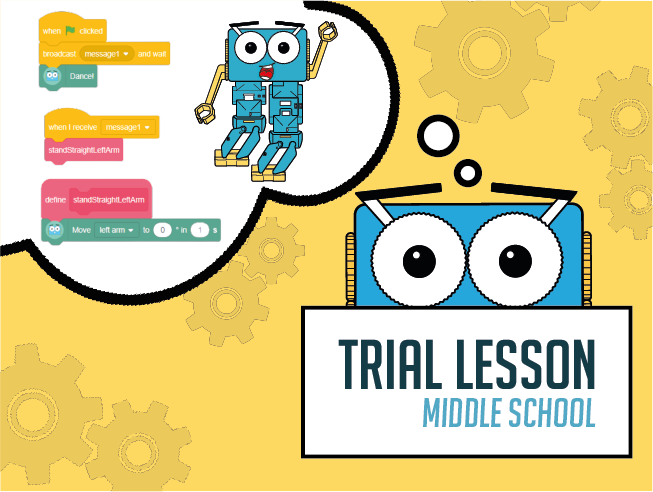
Trial Lesson Middle School 60 Minutes - Introducing Functions
Age / stage
11 - 13
Estimated time
60 minutes
Difficulty
Intermediate
Products
Marty V2

On this page

  1. Lesson overview
  2. Before you begin
  3. Warm-up
  4. Get learning
  5. Further challenge ideas
  6. Cool down
  7. Additional reading
  8. Curriculum standards

Additional reading

What is a light sensor?

Curriculum standards

24
Choose your curriculum to see the relevant standards.

24 of 24 linked standards shown.

Australian CurriculumAustralia4
Curriculum areaLinked standards
Digital Technologies, Design & technologies: Design & Technologies
Digital Technologies, Design & technologies: Digital Technologies

Select a code to read the full standard.

Digital Technologies, Design & technologies: Design & Technologies

  • ACTDEK031Analyse how motion, force and energy are used to manipulate and control electromechanical systems when designing simple, engineered solutions
  • ACTDEP039Use project management processes when working individually and collaboratively to coordinate production of designed solutions

Digital Technologies, Design & technologies: Digital Technologies

  • ACTDIP030Implement and modify programs with user interfaces involving branching, iteration and functions in a general-purpose programming language
  • ACTDIP031Evaluate how student solutions and existing information systems meet needs, are innovative, and take account of future risks and sustainability
CSTA Education StandardsUSA2
Curriculum areaLinked standards
General standards

Select a code to read the full standard.

  • 2-AP-14Create procedures with parameters to organize code and make it easier to reuse.
  • 2-AP-16Incorporate existing code, media, and libraries into original programs, and give attribution.
Curriculum for ExcellenceScotland11
Curriculum areaLinked standards
Health and Wellbeing: Mental, Emotional, Social and Physical Wellbeing
Literacy & English: Listening and Talking
Literacy & English: Writing
Technologies: Computing Science
Technologies: Craft, Design, Engineering and Graphics

Select a code to read the full standard.

Health and Wellbeing: Mental, Emotional, Social and Physical Wellbeing

  • HWB 0-11a / HWB 1-11a / HWB 2-11a / HWB 3-11a / HWB 4-11Social wellbeing
  • HWB 0-14a / HWB 1-14a / HWB 2-14a / HWB 3-14a / HWB 4-14aSocial wellbeing

Literacy & English: Listening and Talking

  • LIT 3-02aTools for listening and talking
  • LIT 3-05a / LIT 4-05aFinding and using information
  • LIT 3-07aUnderstanding, analysing and evaluating

Literacy & English: Writing

  • LIT 3-20a / LIT 4-20aEnjoyment and choice
  • LIT 3-23aTools for writing
  • LIT 3-28aCreating texts

Technologies: Computing Science

  • TCH 3-14bUnderstanding and analysing computing technology
  • TCH 3-15aDesigning, building and testing computing solutions

Technologies: Craft, Design, Engineering and Graphics

  • TCH 3-12aApplication of Engineering
England's National CurriculumEngland2
Curriculum areaLinked standards
Computing, Design and Technology: Computing
Computing, Design and Technology: Design and Technology

Select a code to read the full standard.

Computing, Design and Technology: Computing

  • ✔️Understand what algorithms are; how they are implemented as programs on digital devices; and that programs execute by following precise and unambiguous instructions

Computing, Design and Technology: Design and Technology

  • ✔️Design purposeful, functional, appealing products for themselves and other users based on design criteria
ISTEUSA3
Curriculum areaLinked standards
International Society for Technology in Education (ISTE)

Select a code to read the full standard.

International Society for Technology in Education (ISTE)

  • 1dStudents understand the fundamental concepts of technology operations, demonstrate the ability to choose, use and troubleshoot current technologies and are able to transfer their knowledge to explore emerging technologies.
  • 4dStudents exhibit a tolerance for ambiguity, perseverance and the capacity to work with open-ended problems.
  • 5cStudents break problems into component parts, extract key information, and develop descriptive models to understand complex systems or facilitate problem-solving.
TEKSUSA2
Curriculum areaLinked standards
Middle School Technology Applications: Grade 6 to Grade 8

Select a code to read the full standard.

Middle School Technology Applications: Grade 6 to Grade 8

  • 1.CCreativity and innovation. The student uses creative thinking and innovative processes to construct knowledge, generate new ideas, and create products. The student is expected to: explore complex systems or issues using models, simulations, and new technologies to make predictions, modify input, and review results;
  • 6.ETechnology operations and concepts. The student demonstrates a thorough understanding of technology concepts, systems, and operations. The student is expected to: identify, understand, and use hardware systems;

Resources

Learner resources

  • Workbook for Introducing FunctionsFile links loading

Educator resources

  • Teacher GuideFile links loading
  • Presentation for Light Sensors Function BlocksFile links loading

Lesson overview

In this lesson, Learners will have a chance to experience functions. Functions are an important part of programming that reduce the amount of repeated code by being responsible for ideally one thing.

Up until now, code blocks have been long, this has made them limited in terms of how easy they are to read and change. Functions help a program's readability and support debugging.

Learners will begin by thinking about games they may have played when they were younger and create a tactic which is akin to a function in a program. Later, learners will either repurpose old code by organising repeating blocks in a function, or develop the parts for functions that are already available in Blocks.

Learning objectives

  • I can read and use the output from a sensor
  • I can create clearly titled function blocks that carry out a specific action.

Key vocabulary

  • sensor
  • loop
  • if statement (conditional)
  • function

Prior learning

Experience using sensors and variables

Before you begin

Equipment

  • Marty the Robot V2
  • Marty Workbook
  • Tablets
  • Access to the Blocks editor in the Robotical app
  • Light Sensor add on for Marty V2

Warm-up

TimingActivityPossible adaptations
Timing—

Warm up

Have learners think of a playground games they may have played when they were younger. Now, have them think if there were any that they regularly won (because they figured out something) or that they often saw others win at, which was frustrating. Ask if learners ever thought this was like cheating. Was there something that the winning players always seemed to do which led to a win? Below are some ideas:

  • Simon Says
  • Duck, Duck, Goose
  • Capture the Flag
  • Dodgeball
  • Three-legged Race
  • Hide and Seek
  • Four Square
Click to expand for talking points for Duck, Duck, Goose or look at slide 4 in the presentation, which includes a video
  • if I were sitting, I would be watching the person going around the circle,
  • as they approached me, I would prepare myself to get up - hands on the ground ready to push,
  • legs not cross and relaxed but feet planted and knees bent, ready to push
  • if I were walking around the circle, I would be watching for people talking
  • I would avoid people watching me
  • I would prepare to move quickly before touching a person
Inform learners that this game has two main functions for winning, one function is for the person walking around the circle, one function is for people sitting in the circle. These are two very different parts of the game because they are for distinct roles in the game. In programming, we separate these parts by creating functions. In this case, we could have the program duckDuckGoose and one function could be sitting and the other could be walking.

Slide 5 from the presentation has a suggested flowchart that could be used to illustrate a function for Duck, Duck, Goose. Learners will need access to the internet to research the game they have chosen to write about. The minimum they will need to research is if there is a point system, if there are teams and what decides a winner.

Get learning

TimingActivityPossible adaptations
Timing—

Get learning

Learners will need to take one of the games researched and decide on a tactic they think would be most beneficial for winning. The group will need time to discuss the ideas in order to reach consensus.

Once they have decided, learners will use pseudocode to describe the routine they are going to use and give it a name. Then, they will need to place it in the ‘program’ of the game. Groups will present their ideas to the class describing how their tactic can be used repeatedly through the game to improve the chances of success.

Show slide 7 on the presentation to display the function block, in Blocks, the section is called ‘My Blocks’. There are notes on slide 7 to support discussion.

Following the idea sharing, display Marty standing with legs side by side, and press the walk forward block on your device (alternatively, use slide 8 from the presentation, which shows a slowly walking Marty. There are notes on the page that describe how you can use this slide). This will cause Marty to take two steps forward, by default. Have learners look carefully as you press the button again. What different movement do you see Marty make to carry out that command?

If necessary, run the Marty Controller, where you can more easily control the speed of the walk block, which will enable learners to see individual movements more clearly.

Have one learner in each group be the Marty. Have the other learners develop a function so that that Marty can walk. Encourage learners to look at Blocks for the single commands they could use to build their function. Allow for sufficient time for trial and error to allow learners the most chance to successfully build a walk function. This needn't be recorded in the workbook, it is more a chance to get a feel for how the individual commands come together to make a function. Allow for lots of discussion within and between groups, also be sure to walk around the class asking questions and making comments.

Cool down

TimingActivityPossible adaptations
Timing—

Cool Down

Bring learners back together to discuss the challenges they faced and overcame. Have groups model their creations and explain what is happening, when. Encourage other groups to ask questions to deepen the understanding of the processes.

Suggested questions you might ask:

  • Would you expect to use a function every time you sit down to code? Why or why not?
  • How many reasons can you think of to consider using functions in code?
  • If you encountered a bug in your code, do you think it would be quicker to find and fix if you had or didn't have functions? Why do you think this?

Carry out any end of lesson routines.

Log off devices and clear everything away.

Possible adaptations—
old-school
Possible adaptations—

Specific angles are not a requirement for the human-Marty walk function as that is challenging to estimate but adjectives of some kind would be good.

There is a description of how to code a walk function in the teacher guide and slide 9 shows the blocks in Blocks if you wanted to showcase Marty doing it in real life. Take time to talk through the sequence, timing and angles used in the function. Preparing this on the class device to demonstrate the function would support the learning.

Possible adaptations—
Timing—

Time for Practice

Suggest that learners investigate the kick block:

  • have the class Marty in a central location
  • open Blocks or Marty Controller in the Robotical app
  • have a loop on the workspace with kick so that the action will repeat several times, or, have the Marty Controller open and press it several times, the speed slider will let you control how quickly Marty moves

The teacher guide has the code that is needed to carry out this action. For learners, they could choose a different learner to be Marty for this function and group members can experiment with the different code blocks until there is a suitable function; while building their function, groups should record their planning and ideas in their workbooks. Take time to walk around listening to discussion and asking questions to promote more thinking.

If there is time, either link devices to the class Marty or quickly create the code blocks on the teacher device from different group ideas to display Marty in action.

Possible adaptations

Support

Have physical code cards available for learners to use, when building their scripts:

  • if/then and if/then/else blocks
  • loops
  • light sensor blocks
  • operator blocks: <, >, =
  • a variety of movement blocks

Have a print out of the basic function statements, using the event block and 'light_action' block.

Further challenge ideas

Extend

In the example video, Marty's walking speed is reliant on the level of light. There is fast and there is slow.

  • challenge learners to transition between the two: if Marty was walking slowly and then walks more quickly; learners will need to store a variable based on the last walking speed.