Skip to content
Learning Site
Home

About

  • About Robotical
  • Case Studies
  • Meet the Team
  • Blog
  • Contact Us

Our Products

  • Marty the Robot
  • Axiom
  • Cog

Teach

  • Lessons & Resources
  • Marty for Educators
  • Funding & Grants
  • Professional Development
  • Why Teach STEM?
  • Coding Environments
  • Student Led Learning

Let's Code

  • Marty the Robot
  • Code Online
  • Marty Apple App
  • Marty Android App
  • Update your Marty
  • Cog
  • Code Online
  • Cog iOS App
  • Cog Android App
  • Axiom
  • Axiom Science

Support

  • Marty Get Started
  • Cog Quick Start Guide
  • Axiom Science Quick Start Guide
  • Support & FAQs
  • Marty V2 User Guides
  • Marty V1 Resources
  • Request Support
  • Request Top-Up Training

Shop

  • Marty the Robot and Physical Computing
  • Class Packs
  • Add Ons & Extras
  • Account
  • Shipping, Returns & Cancellations
  • Distributors
HomeLessonsUnits of workCurriculum standardsTutorials

Information

  • Lessons & Resources
  • Knowledge Base & User Guides
  • About Us
  • Shipping, Returns & Cancellation
  • Privacy Policy
  • Learning site privacy
  • Terms of Service
  • Partner Hub

Support & Help

  • Support & Help Center
  • Getting Started with Marty V2
  • Getting Started with Marty V1

Learning, Resources & Guides

  • Marty V2 Lessons Site
  • Marty V1 Lessons Site

Contact Us in the UK

Stanhope House,12 Stanhope Place,Edinburgh,United Kingdom,EH12 5HH
(+44) 0131 564 0922
hello@robotical.io
Contact Us

Contact Us in the US

2810N Church St, PMB 61694,Wilmington,Delaware,USA19802-4447
(+1) 833 886 1661
hello@robotical.io
Contact Us

Why not join our mailing list?

For News, New Products and Special Offers

Join mailing list

Copyright 2016-2026 © Robotical Ltd

Step 2 of 3

Trial Unit of Work - 30 Minute Lessons

Step 2 of 3: Trial Lesson Middle Elementary 30 minutes - Let's Repeat

  1. 2Trial Lesson Middle Elementary 30 minutes - Let's Repeat
Marty app
CurrentPrevious

Trial Lesson Middle Elementary 30 minutes - Let's Repeat

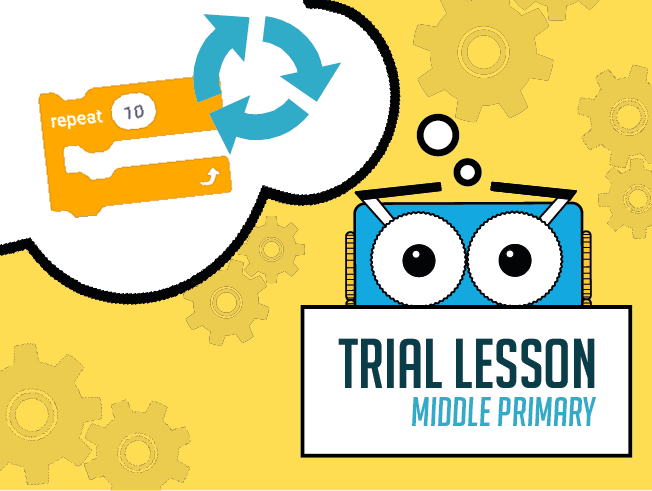
Learn how loops work and program Marty to repeat moves again and again and again...
Trial Lesson Middle Elementary 30 minutes - Let's Repeat
Estimated time
30 minutes
Difficulty
Beginner
Products
Marty V2

On this page

  1. Lesson overview
  2. Objectives & resources
  3. Key vocabulary
  4. Lesson plan
  5. Extensions and challenges
  6. Additional reading
  7. Curriculum standards

Extensions and challenges

Extend

Have learners think about how they might have two Martys use different repeat blocks to create a routine together: as one takes 3 steps forward, the other takes three steps back; as one takes three steps to the right, one takes three steps to the left, etc.

The discussion should be timed properly: starting at the same time and keeping the movements synchronized.

Support

Take time to repeat the steps that make up an action. Display some ideas to groups, depending on the ideas that learners suggest. Ask for whole-class support in breaking down the steps and either illustrate them or use text to describe them for groups to consult.

Additional reading

  • Marty the Robot Educator Guide
  • Educator FAQ

Curriculum standards

18
Choose your curriculum to see the relevant standards.

18 of 18 linked standards shown.

Australian CurriculumAustralia3
Curriculum areaLinked standards
Digital Technologies, Design & technologies: Design & Technologies
Digital Technologies, Design & technologies: Digital Technologies

Select a code to read the full standard.

Digital Technologies, Design & technologies: Design & Technologies

  • ACTDEP025Generate, develop and communicate design ideas and processes for audiences using appropriate technical terms and graphical representation techniques

Digital Technologies, Design & technologies: Digital Technologies

  • ACTDIP010Define simple problems, and describe and follow a sequence of steps and decisions (algorithms) needed to solve them
  • ACTDIP011Implement simple digital solutions as visual programs with algorithms involving branching (decisions) and user input
CSTA Education StandardsUSA4
Curriculum areaLinked standards
General standards

Select a code to read the full standard.

  • 1A-AP-10Develop programs with sequences and simple loops, to express ideas or address a problem.
  • 1A-AP-11Decompose (break down) the steps needed to solve a problem into a precise sequence of instructions.
  • 1B-AP-10Create programs that include sequences, events, loops, and conditionals.
  • 1B-AP-11Decompose (break down) problems into smaller, manageable subproblems to facilitate the program development process.
Curriculum for ExcellenceScotland7
Curriculum areaLinked standards
Health and Wellbeing: Mental, Emotional, Social and Physical Wellbeing
Literacy & English: Listening and Talking
Literacy & English: Writing
Technologies: Computing Science

Select a code to read the full standard.

Health and Wellbeing: Mental, Emotional, Social and Physical Wellbeing

  • HWB 0-14a / HWB 1-14a / HWB 2-14a / HWB 3-14a / HWB 4-14aSocial wellbeing

Literacy & English: Listening and Talking

  • LIT 1-07aUnderstanding, analysing and evaluating
  • LIT 1-09aCreating texts

Literacy & English: Writing

  • LIT 1-23aTools for writing
  • LIT 1-26aOrganising and using information

Technologies: Computing Science

  • TCH 1-14aUnderstanding and analysing computing technology
  • TCH 1-15aDesigning, building and testing computing solutions
England's National CurriculumEngland2
Curriculum areaLinked standards
Computing, Design and Technology: Computing
Computing, Design and Technology: Design and Technology

Select a code to read the full standard.

Computing, Design and Technology: Computing

  • ✔️Understand what algorithms are; how they are implemented as programs on digital devices; and that programs execute by following precise and unambiguous instructions

Computing, Design and Technology: Design and Technology

  • ✔️Design purposeful, functional, appealing products for themselves and other users based on design criteria
ISTEUSA2
Curriculum areaLinked standards
International Society for Technology in Education (ISTE)

Select a code to read the full standard.

International Society for Technology in Education (ISTE)

  • 1dStudents understand the fundamental concepts of technology operations, demonstrate the ability to choose, use and troubleshoot current technologies and are able to transfer their knowledge to explore emerging technologies.
  • 4cStudents develop, test and refine prototypes as part of a cyclical design process.

Resources

Learner resources

  • Workbook for Let's RepeatFile links loading

Educator resources

  • Teacher GuideFile links loading
  • Presentation for Let's RepeatFile links loading
  • Story / lesson textFile links loading
Trial Unit of Work - 30 Minute Lessons
Unit overview
1Trial Lesson Lower Elementary 30 minutes - What is the order
3Trial Lesson Upper Elementary 30 minutes - Obstacles
Previous stepTrial Lesson Lower Elementary 30 minutes - What is the order
Next stepTrial Lesson Upper Elementary 30 minutes - Obstacles

Lesson overview

The repeat block (loop) allows for the repetition of one or more actions. This eliminates the need for instructions that seem to go on forever because of some parts that repeat. Learners will think of a movement that Marty can perform, practice that movement in their groups and then organise the code that Marty needs, using the repeat block.

Prerequisite knowledge

Knowledge of block names

Cross-curricular links

Drama - organising movements; Literacy - writing instructions

Learning objectives

  • Describe times when you repeat actions
  • Have Marty repeat more than one action

Resources and equipment

  • Marty the Robot v2
  • Tablets
  • Access to the MartyBlocks Jr editor

Key vocabulary

  • Loops
  • Repetition

Lesson plan

For this entire lesson, Marty should be on the ground, not on a table.

Warm up

Share with learners the learning objectives and success criteria for the lesson, from the presentation file (slides 2 and 3).

Read the text from the resources section or in the presentation (slides 4 - 11). Notes have been added to support the flow.

Get Learning

The presentation, on slide 12, shows a growing block of code that begins to repeat, take some time to talk about what movements they see and what parts of the code seem to repeat. Quiz learners about what they think the next step in the code will be, as it goes off the edge of the slide.

While learners are in groups, working on movements they know that repeat, walk around the room listening to their ideas. Ask regular questions to help them determine which movements repeat, from their actions.

Encourage learners to write down their ideas for the repeating actions in their workbooks. This could be completed with one workbook per group, individually or the document displayed on the board with whole-class input.

Take time to explore the look of the repeat block. It is both red, which suggests stop, or don't go past, and has the curving arrows for repeat or refresh.

Time for Practice

Now that learners have seen an example of code that repeats, for Marty, and how Marty looks with that code, they need to plan a repeating movement or action that Marty can perform; they can plan this with words or with pictures; using icons from MartyBlocks Jr might be a good idea.

Once learners have a routine, have them think about a name for what Marty could be doing. The code from the lesson could be a dance step, it could be an exercise routine that has Marty stretch their eyebrows and body every three steps, or it could be Marty is walking in the rain and the rain trickles down their back and Marty shakes to get the water off to move faster.

Cool Down

Bring learners back together to discuss how they met the challenge as a group. Have groups model their creations; hopefully, learners will be able to either connect to Marty with their device, if they have access, or can show you their plan and you can quickly create it to show the class.

Suggested questions you might ask:

  • Which interesting combinations did you create? What movement is Marty performing?
  • Were there any problems you discovered with the repeat block you used?
  • Do you think it is a good idea to use this block to improve your code or would you prefer not to use it? Why?

Carry out any end of lesson routines.

Log off devices and clear everything away.

Unit resources

Learner resources

  • Trial Lesson Lower Elementary 30 minutes - What is the order.zip
  • Trial Lesson Middle Elementary 30 minutes - Let's Repeat.zip
  • Trial Lesson Upper Elementary 30 minutes - Obstacles.zip