Trial Unit of Work - 30 Minute Lessons
Step 1 of 3: Trial Lesson Lower Elementary 30 minutes - What is the order
Use color cards to instruct Marty where to go and what to do
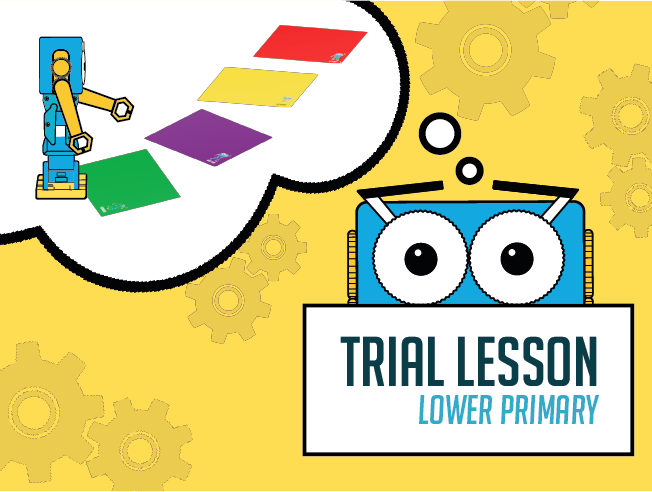
Challenge learners to move around something in order to reach the red card, which will require using the purple and blue cards.
Provide learners with a ruler, or something else with a straight edge. This may help them to 'aim' Marty at the red card.
18 of 18 linked standards shown.
| Curriculum area | Linked standards |
|---|---|
| Digital Technologies, Design & technologies: Design & Technologies | |
| Digital Technologies, Design & technologies: Digital Technologies |
Select a code to read the full standard.
| Curriculum area | Linked standards |
|---|---|
| General standards |
Select a code to read the full standard.
| Curriculum area | Linked standards |
|---|---|
| Health and Wellbeing: Mental, Emotional, Social and Physical Wellbeing | |
| Literacy & English: Listening and Talking | |
| Literacy & English: Reading | |
| Literacy & English: Writing | |
| Numeracy: Number, Money and Measure | |
| Technologies: Computing Science |
Select a code to read the full standard.
| Curriculum area | Linked standards |
|---|---|
| Computing, Design and Technology: Computing | |
| Computing, Design and Technology: Design and Technology |
Select a code to read the full standard.
| Curriculum area | Linked standards |
|---|---|
| International Society for Technology in Education (ISTE) |
Select a code to read the full standard.
This lesson is an introduction to Marty the Robot and using Marty's color cards to get them moving.
Direction words
Literacy - Instructions; Maths - direction
For this entire lesson, Marty should be on the ground, not on a table. In preparation, all Marty could be turned on and in 'unplugged' mode before the lesson starts. Unplugged mode is explained, here; alternatively, Marty could be turned on during the 'Warm up' part of the lesson as it is shown in the presentation.
Read to learners the learning objectives and success criteria from slides 2 and 3 of the presentation.
Warm up with a game of musical statues or musical bumps - learners dance when the music is playing and freeze or sit down when the music stops. There is a link to music on slide 4 of the presentation; there are automatic stops in the music track.
Slide 5 will introduce Marty, with details about the device and how to switch them on.
Show the presentation (slides 6) to display each of the 5 color cards. Once you have Marty in unplugged mode (click here to see about unplugged mode), either show Marty reacting to the cards on the presentation, from slides 7 to 11, or place Marty on each of the colors in whichever order you want. If you want to show Marty in real life responding to the cards, you do not need to show slides 7 to 11.
Alternatively, you could show each of the colors to the learners in your class and ask them about what they think this card might get Marty to do; we recommend starting with green and red for the traffic lights, to give learners a clue that these colors correspond to directions.
To get learners to better appreciate how Marty moves with the color cards, ask learners to pretend that they are a Marty: show a color card and have volunteers, or the whole class take 3 or 4 steps in that direction.
The practice for this lesson centers on using the correct color card at the correct time:
Depending on the ability of your learners, it may be best to focus only on the green forward and red stop cards. For this, you need a start and stop location and a bit of time to have learners practicing 'lining up' Marty so they will travel in the correct direction. Slide 12 from the presentation shows two mistakes were made when instructing Marty to move from a start position to an end. Have learners try and identify what the person did wrong. If you need to show it, slide 13 has a correct demonstration of using the color cards.
While learners are waiting for a turn of using Marty, ask them to have a person in their group pretend to be Marty.
As each group of learners manage to reach the goal, celebrate with them. "You just created a program to tell Marty to do something. You are at the very start of a journey to create instructions for computers and robots!!"
Remind learners of the amazing work that they accomplished, "You were able to instruct a robot to move from a starting point to a finishing point! That is just amazing! I wonder what else we will get up to with Marty?"
Remind learners of the goals for the lesson, "Move a robot with color cards," and, "Get a robot to walk forward and stop."
Ask learners if they think they did well with the lesson using a familiar formative assessment strategy: thumbs up for good, thumbs to the side for OK, thumbs down for not so good; a green, yellow or red card, indicating their thoughts; a one to one chat about the learning; whole class feedback using a PMI (plus, minus, interesting) approach; or some other strategy with which the learners are familiar.
Carry out any end of lesson routines.
Log off devices and clear everything away.
