Skip to content
Learning Site
Home

About

  • About Robotical
  • Case Studies
  • Meet the Team
  • Blog
  • Contact Us

Our Products

  • Marty the Robot
  • Axiom
  • Cog

Teach

  • Lessons & Resources
  • Marty for Educators
  • Funding & Grants
  • Professional Development
  • Why Teach STEM?
  • Coding Environments
  • Student Led Learning

Let's Code

  • Marty the Robot
  • Code Online
  • Marty Apple App
  • Marty Android App
  • Update your Marty
  • Cog
  • Code Online
  • Cog iOS App
  • Cog Android App
  • Axiom
  • Axiom Science

Support

  • Marty Get Started
  • Cog Quick Start Guide
  • Axiom Science Quick Start Guide
  • Support & FAQs
  • Marty V2 User Guides
  • Marty V1 Resources
  • Request Support
  • Request Top-Up Training

Shop

  • Marty the Robot and Physical Computing
  • Class Packs
  • Add Ons & Extras
  • Account
  • Shipping, Returns & Cancellations
  • Distributors
HomeLessonsUnits of workCurriculum standardsTutorials

Information

  • Lessons & Resources
  • Knowledge Base & User Guides
  • About Us
  • Shipping, Returns & Cancellation
  • Privacy Policy
  • Learning site privacy
  • Terms of Service
  • Partner Hub

Support & Help

  • Support & Help Center
  • Getting Started with Marty V2
  • Getting Started with Marty V1

Learning, Resources & Guides

  • Marty V2 Lessons Site
  • Marty V1 Lessons Site

Contact Us in the UK

Stanhope House,12 Stanhope Place,Edinburgh,United Kingdom,EH12 5HH
(+44) 0131 564 0922
hello@robotical.io
Contact Us

Contact Us in the US

2810N Church St, PMB 61694,Wilmington,Delaware,USA19802-4447
(+1) 833 886 1661
hello@robotical.io
Contact Us

Why not join our mailing list?

For News, New Products and Special Offers

Join mailing list

Copyright 2016-2026 © Robotical Ltd

All lessons
Marty app
CurrentPrevious

1.08: Getting Started with Blocks

Getting to Know Blocks, after Working with Blocks Jr
1.08: Getting Started with Blocks
Age / stage
5 - 7
Estimated time
45 minutes
Difficulty
Beginner
Products
Marty V2

On this page

  1. Lesson overview
  2. Before you begin
  3. Warm-up
  4. Get learning
  5. Further challenge ideas
  6. Cool down
  7. Additional reading
  8. Curriculum standards

Additional reading

  • Marty the Robot Educator Guide
  • Educator FAQ
  • Getting Started with Marty User Guide

Curriculum standards

19
Choose your curriculum to see the relevant standards.

19 of 19 linked standards shown.

Australian CurriculumAustralia4
Curriculum areaLinked standards
Digital Technologies, Design & technologies: Design & Technologies
Digital Technologies, Design & technologies: Digital Technologies

Select a code to read the full standard.

Digital Technologies, Design & technologies: Design & Technologies

  • ACTDEP015Generate, develop, and communicate design ideas and decisions using appropriate technical terms and graphical representation techniques
  • ACTDEP017Evaluate design ideas, processes and solutions based on criteria for success developed with guidance and including care for the environment

Digital Technologies, Design & technologies: Digital Technologies

  • ACTDIK014Examine the main components of common digital systems and how they may connect together to form networks to transmit data
  • ACTDIP022Plan, create and communicate ideas and information, including collaboratively online, applying agreed ethical, social and technical protocols
CSTA Education StandardsUSA2
Curriculum areaLinked standards
General standards

Select a code to read the full standard.

  • 1B-AP-10Create programs that include sequences, events, loops, and conditionals.
  • 1B-AP-13Use an iterative process to plan the development of a program by including others' perspectives and considering user preferences.
Curriculum for ExcellenceScotland8
Curriculum areaLinked standards
Health and Wellbeing: Mental, Emotional, Social and Physical Wellbeing
Literacy & English: Listening and Talking
Literacy & English: Writing
Technologies: Computing Science

Select a code to read the full standard.

Health and Wellbeing: Mental, Emotional, Social and Physical Wellbeing

  • HWB 0-14a / HWB 1-14a / HWB 2-14a / HWB 3-14a / HWB 4-14aSocial wellbeing

Literacy & English: Listening and Talking

  • LIT 1-02aTools for listening and talking
  • LIT 1-07aUnderstanding, analysing and evaluating
  • LIT 1-09aCreating texts

Literacy & English: Writing

  • LIT 1-20a / LIT 2-20aEnjoyment and choice
  • LIT 1-26aOrganising and using information

Technologies: Computing Science

  • TCH 1-14aUnderstanding and analysing computing technology
  • TCH 1-15aDesigning, building and testing computing solutions
England's National CurriculumEngland1
Curriculum areaLinked standards
Computing, Design and Technology: Computing

Select a code to read the full standard.

Computing, Design and Technology: Computing

  • ✔️Understand what algorithms are; how they are implemented as programs on digital devices; and that programs execute by following precise and unambiguous instructions
ISTEUSA2
Curriculum areaLinked standards
International Society for Technology in Education (ISTE)

Select a code to read the full standard.

International Society for Technology in Education (ISTE)

  • 1dStudents understand the fundamental concepts of technology operations, demonstrate the ability to choose, use and troubleshoot current technologies and are able to transfer their knowledge to explore emerging technologies.
  • 4cStudents develop, test and refine prototypes as part of a cyclical design process.
TEKSUSA2
Curriculum areaLinked standards
Elementary Technology Applications: Grade 3 to Grade 5

Select a code to read the full standard.

Elementary Technology Applications: Grade 3 to Grade 5

  • 2.ACommunication and collaboration. The student collaborates and communicates both locally and globally using digital tools and resources to reinforce and promote learning. The student is expected to: draft, edit, and publish products in different media individually and collaboratively;
  • 4.DCritical thinking, problem solving, and decision making. The student applies critical-thinking skills to solve problems, guide research, and evaluate projects using digital tools and resources. The student is expected to: evaluate technology tools applicable for solving problems.

Resources

Learner resources

  • Workbook for Getting Comfortable with BlocksFile links loading

Educator resources

  • Teacher GuideFile links loading
  • Presentation for Getting Comfortable with BlocksFile links loading
  • Story textFile links loading

Lesson overview

Blocks is put together in a vertical format, which is more common for writing code. Learners will be presented with a larger workspace and greater functionality for controlling Marty and eventually having them interact with the environment.

This lesson will familiarize learners with the sections, layout, comparing this new environment with Blocks Jr.

Learning objectives

  • I can compare blocks from two different coding apps
  • I can create a plan with a diagram

Key vocabulary

  • Vertical
  • Horizontal
  • Section
  • Comparison

Prior learning

Familiarity with Marty

Before you begin

Equipment

  • Marty the Robot
  • Workbooks
  • Access to compatible devices connected to Marty on Blocks

Warm-up

TimingActivityPossible adaptations
Timing—

Warm up

Share the learning objectives and success criteria from the PowerPoint Presentation.

Read the story text from the presentation that explores the difference text can make on understanding what is presented, particularly when the symbol is complex.

A variety of signs, that should be familiar to learners, are included in the story presentation, first without and then including the text. Follow the suggestions in the presentation to ask learners what it is that the text does to support the symbol or sign. Follow up by asking, is the text absolutely necessary? What does the text do to add to the symbol? After completing the story, have learners complete the task from the workbook that explores the effect that text can have.

Possible adaptations—

Get learning

TimingActivityPossible adaptations
Timing—

Get Learning

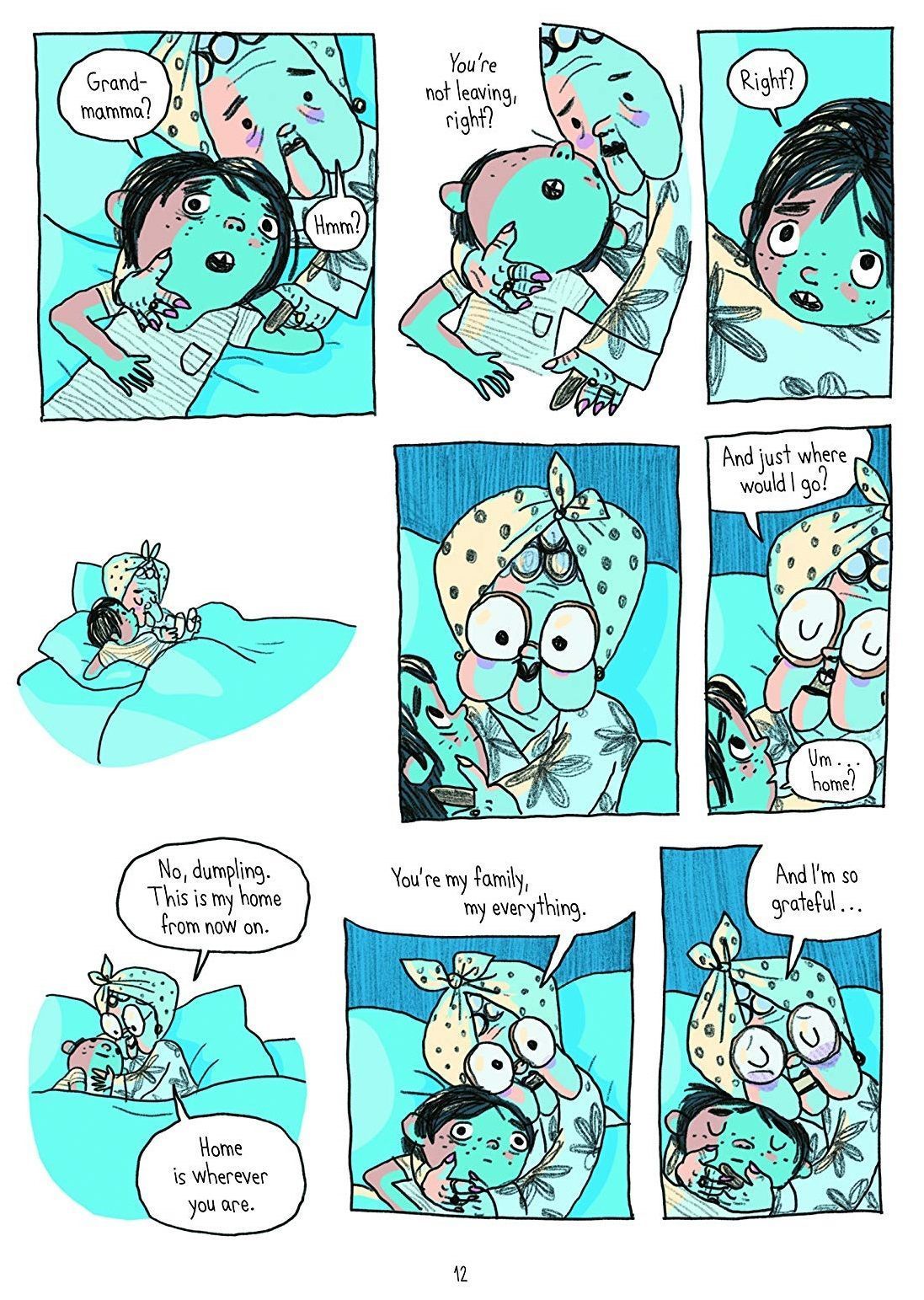
From the next slide, show the first image from the graphic novel for The Witches; explore with learners what they see happening from the images on the page: have learners record group ideas in their workbook. Show the next slide, with the text, and have learners again describe what they see happening. Have learners compare the two examples of the same text and record their group's thoughts, in their workbooks. The text is based on Roald Dahl's text of the same name and can be found by clicking here. The images are below, for reference.
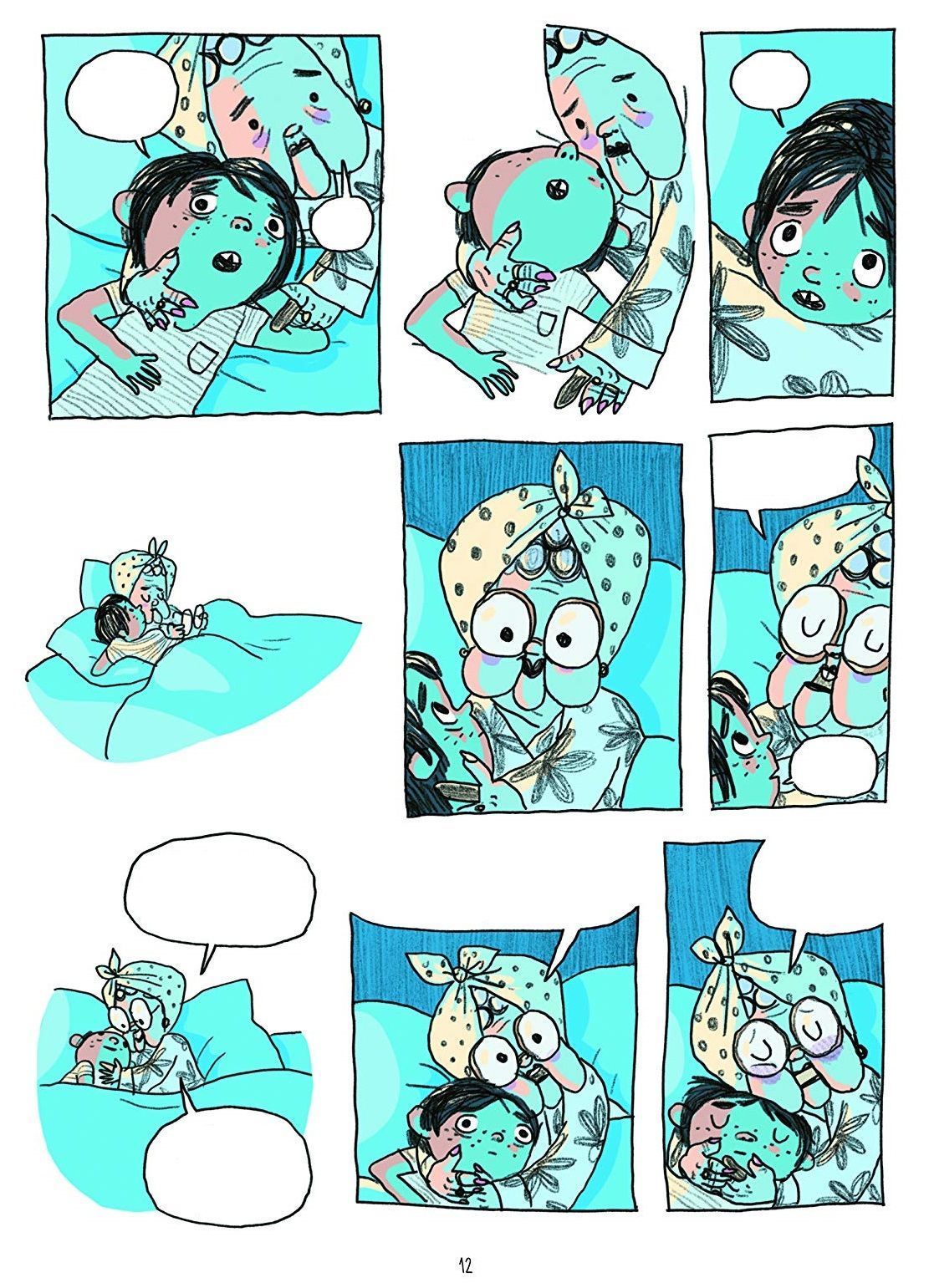
You could expand on this to compare examples that are in books / graphic novels / comics / film / TV. The goal is to see how an item that is not reliant on text, for consumption, compares to one that makes use of text. Additionally, if you are engaging in story-writing tasks, at this time in the term, you might compare the storyboard, largely graphics, that plans out the scenes, with a final text.

Share the comparison slides, after the story text, that showcase the blocks from Blocks and Blocks Jr. The difference that is immediately apparent is the text and symbols, that communicate the purpose of the block. Ask learners if they think one is clearer in describing its purpose, with reasons for why they think this.

Possible adaptations

Cool down

TimingActivityPossible adaptations
Timing—

Cool Down

Bring learners back together to discuss their discoveries and thoughts of Blocks. Have groups share their thoughts regarding the comparison between the two environments. Try to get thoughts that cover a range of different blocks that were shown in the workbooks so that you get as much interaction from different learners as possible.

Suggested questions you might ask:

  • Were there some blocks that where the text seemed unnecessary, but you still understood?
  • Were there some blocks that were made much clearer with text?
  • Were there some blocks that are not present in Blocks Jr that would be very difficult to present without text?

Carry out any end of lesson routines.

Log off devices and clear everything away.

Possible adaptations—
—
Timing—

Time for Practice

The practice focuses on testing the blocks for their purpose as well as determining if there is anything different about what the equivalent Blocks Jr blocks do.

Introduce planning diagrams. These are drawings developers use to organize the code they write to keep their thoughts and ideas organized. There are different symbols that are used for each part of the program. Today's lesson will introduce the first two:

  • The round corner rectangle, which is used to identify the start and end of a program
  • The rectangle, which is used to identify the actions in a program, individually referred to as a process
  • In addition, arrows are used to indicate the direction of the flow of the program
  • A quick example is given to describe an action for Marty, in the presentation, after the comparison slides. Show this slide after learners have completed tasks in their workbook before they begin to test out any linked commands from Blocks.

Encourage learners to build a short routine within Blocks and predict what they think it will do, run the actual code, and then describe the actions they saw.

Model connecting to Marty through the app (video below). There is a slide on the presentation that illustrates a video of this. Feel free to delete if you do not need it.

Watch on YouTube
Possible adaptations

Support

Have the blocks from Blocks and Blocks Jr printed out so that learners can cut out and arrange the blocks that are similar on the page (they can then glue together the blocks that perform the same action, in their workbooks), rather than sorting through the lists and matching that way.

Further challenge ideas

Extend

Challenge learners to design symbolic blocks for new actions in Blocks: if your younger siblings, or friends, wanted to do what you can do with Blocks, but their reading is not very good, what do you think would be the clearest picture for them?

Alternatively, challenge learners to think of examples where text is unnecessary: either the symbol is sufficient or the text for get in the way of the image.