Skip to content
Learning Site
Home

About

  • About Robotical
  • Case Studies
  • Meet the Team
  • Blog
  • Contact Us

Our Products

  • Marty the Robot
  • Axiom
  • Cog

Teach

  • Lessons & Resources
  • Marty for Educators
  • Funding & Grants
  • Professional Development
  • Why Teach STEM?
  • Coding Environments
  • Student Led Learning

Let's Code

  • Marty the Robot
  • Code Online
  • Marty Apple App
  • Marty Android App
  • Update your Marty
  • Cog
  • Code Online
  • Cog iOS App
  • Cog Android App
  • Axiom
  • Axiom Science

Support

  • Marty Get Started
  • Cog Quick Start Guide
  • Axiom Science Quick Start Guide
  • Support & FAQs
  • Marty V2 User Guides
  • Marty V1 Resources
  • Request Support
  • Request Top-Up Training

Shop

  • Marty the Robot and Physical Computing
  • Class Packs
  • Add Ons & Extras
  • Account
  • Shipping, Returns & Cancellations
  • Distributors
HomeLessonsUnits of workCurriculum standardsTutorials

Information

  • Lessons & Resources
  • Knowledge Base & User Guides
  • About Us
  • Shipping, Returns & Cancellation
  • Privacy Policy
  • Learning site privacy
  • Terms of Service
  • Partner Hub

Support & Help

  • Support & Help Center
  • Getting Started with Marty V2
  • Getting Started with Marty V1

Learning, Resources & Guides

  • Marty V2 Lessons Site
  • Marty V1 Lessons Site

Contact Us in the UK

Stanhope House,12 Stanhope Place,Edinburgh,United Kingdom,EH12 5HH
(+44) 0131 564 0922
hello@robotical.io
Contact Us

Contact Us in the US

2810N Church St, PMB 61694,Wilmington,Delaware,USA19802-4447
(+1) 833 886 1661
hello@robotical.io
Contact Us

Why not join our mailing list?

For News, New Products and Special Offers

Join mailing list

Copyright 2016-2026 © Robotical Ltd

All lessons
Marty app
CurrentPrevious

2.13: Marty's Disco Eyes and Timing

Exploring Patterns with Marty's Disco Eyes
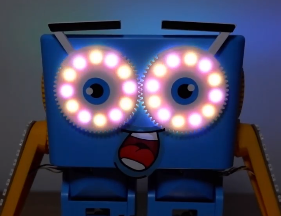
2.13: Marty's Disco Eyes and Timing
Age / stage
8 - 10
Estimated time
45 minutes
Difficulty
Intermediate
Products
Marty V2

On this page

  1. Lesson overview
  2. Before you begin
  3. Warm-up
  4. Get learning
  5. Further challenge ideas
  6. Cool down
  7. Additional reading
  8. Curriculum standards

Additional reading

This is a link to instructions for installing the disco lights add-on.

Curriculum standards

22
Choose your curriculum to see the relevant standards.

22 of 22 linked standards shown.

Australian CurriculumAustralia2
Curriculum areaLinked standards
Digital Technologies, Design & technologies: Digital Technologies

Select a code to read the full standard.

Digital Technologies, Design & technologies: Digital Technologies

  • ACTDIP019Design, modify and follow simple algorithms involving sequences of steps, branching, and iteration (repetition)
  • ACTDIP020Implement digital solutions as simple visual programs involving branching, iteration (repetition), and user input
CSTA Education StandardsUSA2
Curriculum areaLinked standards
General standards

Select a code to read the full standard.

  • 1B-AP-08Compare and refine multiple algorithms for the same task and determine which is the most appropriate.
  • 1B-AP-13Use an iterative process to plan the development of a program by including others' perspectives and considering user preferences.
Curriculum for ExcellenceScotland11
Curriculum areaLinked standards
Health and Wellbeing: Mental, Emotional, Social and Physical Wellbeing
Literacy & English: Listening and Talking
Literacy & English: Writing
Numeracy: Number, Money and Measure
Technologies: Computing Science

Select a code to read the full standard.

Health and Wellbeing: Mental, Emotional, Social and Physical Wellbeing

  • HWB 0-11a / HWB 1-11a / HWB 2-11a / HWB 3-11a / HWB 4-11Social wellbeing
  • HWB 0-14a / HWB 1-14a / HWB 2-14a / HWB 3-14a / HWB 4-14aSocial wellbeing

Literacy & English: Listening and Talking

  • LIT 2-02aTools for listening and talking
  • LIT 2-07aUnderstanding, analysing and evaluating

Literacy & English: Writing

  • LIT 2-23aTools for writing

Numeracy: Number, Money and Measure

  • MNU 2-01aEstimation and rounding
  • MNU 2-10bTime
  • MNU 2-10cTime
  • MNU 2-11aMeasurement

Technologies: Computing Science

  • TCH 2-13aUnderstanding the world through computational thinking
  • TCH 2-15aDesigning, building and testing computing solutions
England's National CurriculumEngland2
Curriculum areaLinked standards
Computing, Design and Technology: Computing
Computing, Design and Technology: Design and Technology

Select a code to read the full standard.

Computing, Design and Technology: Computing

  • ✔️Understand what algorithms are; how they are implemented as programs on digital devices; and that programs execute by following precise and unambiguous instructions

Computing, Design and Technology: Design and Technology

  • ✔️Design purposeful, functional, appealing products for themselves and other users based on design criteria
ISTEUSA3
Curriculum areaLinked standards
International Society for Technology in Education (ISTE)

Select a code to read the full standard.

International Society for Technology in Education (ISTE)

  • 4cStudents develop, test and refine prototypes as part of a cyclical design process.
  • 5cStudents break problems into component parts, extract key information, and develop descriptive models to understand complex systems or facilitate problem-solving.
  • 6cStudents communicate complex ideas clearly and effectively by creating or using a variety of digital objects such as visualizations, models or simulations.
TEKSUSA2
Curriculum areaLinked standards
Elementary Technology Applications: Grade 3 to Grade 5

Select a code to read the full standard.

Elementary Technology Applications: Grade 3 to Grade 5

  • 4.CCritical thinking, problem solving, and decision making. The student applies critical-thinking skills to solve problems, guide research, and evaluate projects using digital tools and resources. The student is expected to: evaluate student-created products through self and peer review for relevance to the assignment or task;
  • 6.CTechnology operations and concepts. The student demonstrates knowledge and appropriate use of technology systems, concepts, and operations. The student is expected to: navigate systems and applications accessing peripherals both locally and remotely;

Resources

Learner resources

  • Workbook for Disco EyesFile links loading

Educator resources

  • Teacher GuideFile links loading
  • Presentation for Disco EyesFile links loading

Lesson overview

In this lesson, learners will explore the different patterns that can be represented with Marty's disco eyes. When the pattern is decided on, learners will make use of loops and their timing in order to match the disco eyes to the music. This lesson will require a degree of testing: testing the light patterns, the colors, the music tempo and the alignment of the light to the beat.

As an extension, learners could be challenged to apply their understanding of parallel programming to tell Marty to do different things at the same time.

Please read the knowledge base article about the Disco addons, before engaging with this lesson.

Learning objectives

  • I can create an output pattern.
  • I can time the output to fit a tempo.

Key vocabulary

  • add-on
  • loop
  • wait block
  • timing

Prior learning

Knowledge of loops, add-ons and a sense of timing, in music

Before you begin

Equipment

  • Marty the Robot V2
  • Marty Workbook
  • Tablets
  • Access to the Blocks editor
  • Disco Eyes add on for Marty v2

Warm-up

Get learning

Extend

Challenge learners to apply prior learning of parallel programming. Learners will:

  • need multiple event blocks.
  • need to ensure that the same part of Marty is only doing one thing at a time, telling an arm to move in two directions at the same time will create problems for the program.
  • need to ensure the timing of the commands stays consistent across different blocks.

Cool down

Activity

Warm up

The below video shows an idea for Marty moving, with lights changing, to the beat of the music. You can show the video from the second slide in the presentation or run it on your own Marty.

For the code, you will find the following blocks in the following sections:

  • the set LEDs blocks in Looks,
  • the repeat block and wait blocks in Control
Watch on YouTube

Discuss what learners think has happened. Record the ideas that they share. Answers may include, Marty's movement and lights loop, different parts of Marty are moving or changing at the same time, the changes are timed to fit with the music.

Record the suggestions.

Display the next slides of the ppt, the objectives and success criteria for today's lesson.

Have a prepared video of a music concert with a light show. There are several selections below, which also appear in the PowerPoint presentation. Feel free to use any and all you wish; if there are any you do not wish to use, delete the applicable slides from the presentation before using it in the lesson. Some of these videos use flashing lights, they will not be appropriate for learners who react negatively to them.

Classical music light show

Watch on YouTube

Dance music light show

Watch on YouTube

Seasonal light display

Watch on YouTube

The video is to give learners an idea as to how other people have used lights and music, together, to create a presentation.

Activity

Get Learning

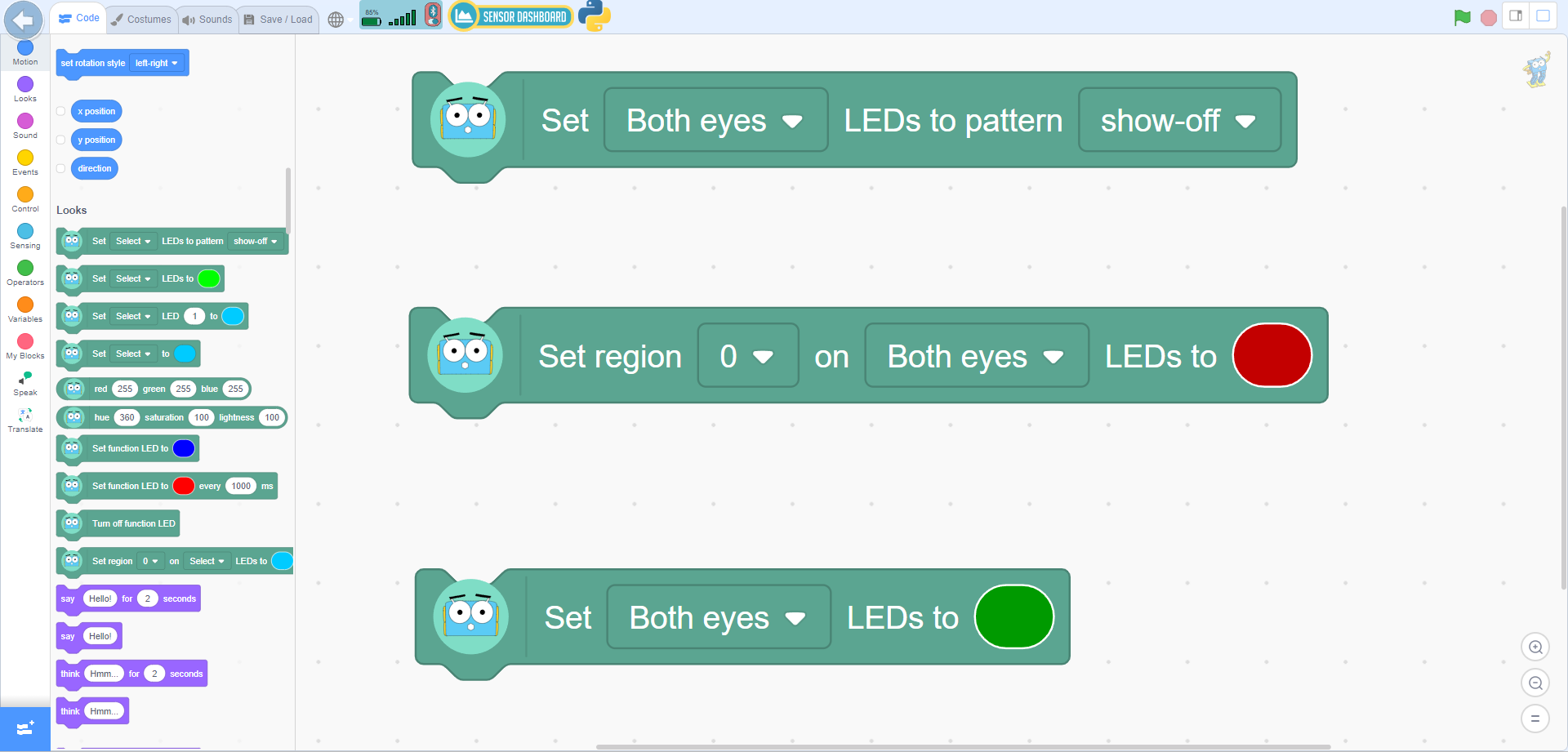
At this point, everyone should have Blocks loaded, with Marty connected. Display the slide called 'The Disco blocks', from the presentation. They will notice that each of the blocks is controlling both eyes, however they can use the drop-down menu to control Marty’s left and right eyes independently.

Have learners drag the three blocks onto the workspace and explore them in slides 9, 10 and 11. Show learners slide 13, a very basic block of code displaying all three of the blocks in action.
Watch on YouTube

Learners will notice that the script happens amazingly quickly. Ask why this might be so.

Either have learners experiment with different orders for the three blocks or display them in a different order and note the change in the display. Finally, highlight that by setting the disco pattern block to 'off', the lights on the eyes disappear.

Ask learners to further explore the blocks, have them work in Blocks to see if they can come up with any ideas for how it could be further modified or improved/extended. Give learners about 5 minutes to explore.

Ask for volunteers to display group work to the others. Allow for peer questioning to better understand the process and thinking behind what they did. If no groups suggested using loops, or a wait block, ask, "How could you tell Marty to do the same thing again?" "How could you have Marty hold one display for a little bit before moving to the next display?"

Time for Practice

Have some disco music playing, in the background, the video is not necessary to show and the audio will last for a long time. The example has a steady, regular tempo so learners will have the time to perfect the timing for their lights and so that multiple devices do not have different music tracks playing at the same time.

Set the goal for the learners to have their programs running for at least 20 seconds. The example, at the start of the lesson, runs for about 45 seconds.

Disco Mix 1

Watch on YouTube

Encourage learners to fill out the workbook's first three tasks before beginning to code. Show the fourth task and remind learners that, for the example in the lesson, there were no pauses or breaks between the commands, which resulted in the program being completed far too quickly. Ideas for how to explain using the table in the workbook could be, "As a result, to improve the code, a good first step would be to add some sort of time to pause between each command in order to sync better with the music."

Give as much time as you can for learners to problem solve their code in order to match it up with the music, to the best of their ability. Take time to walk around the classroom, asking questions and watching their displays.

Support

Share other code snippets that display the effect of repeat and wait blocks on various actions, not including the light blocks. Have the snippets highlight the effect of changing the values attached to these blocks.

Activity

Cool Down

Bring learners back together to discuss the challenges they faced and overcame. Have groups model their creations and explain what is happening, when. Encourage other groups to ask questions to deepen the understanding of the processes.

Suggested questions you might ask:

  • How did you improve the timing of the lights as well as you could?
  • Did you use loops and wait blocks? Which worked better? Why do you think this?

Carry out any end of lesson routines.

Log off devices and clear everything away.