Exploring Patterns with Marty's Disco Eyes
Challenge learners to apply prior learning of parallel programming. Learners will:
Share other code snippets that display the effect of repeat and wait blocks on various actions, not including the light blocks. Have the snippets highlight the effect of changing the values attached to these blocks.
22 of 22 linked standards shown.
| Curriculum area | Linked standards |
|---|---|
| Digital Technologies, Design & technologies: Digital Technologies |
Select a code to read the full standard.
| Curriculum area | Linked standards |
|---|---|
| General standards |
Select a code to read the full standard.
| Curriculum area | Linked standards |
|---|---|
| Health and Wellbeing: Mental, Emotional, Social and Physical Wellbeing | |
| Literacy & English: Listening and Talking | |
| Literacy & English: Writing | |
| Numeracy: Number, Money and Measure | |
| Technologies: Computing Science |
Select a code to read the full standard.
| Curriculum area | Linked standards |
|---|---|
| Computing, Design and Technology: Computing | |
| Computing, Design and Technology: Design and Technology |
Select a code to read the full standard.
| Curriculum area | Linked standards |
|---|---|
| International Society for Technology in Education (ISTE) |
Select a code to read the full standard.
| Curriculum area | Linked standards |
|---|---|
| Elementary Technology Applications: Grade 3 to Grade 5 |
Select a code to read the full standard.
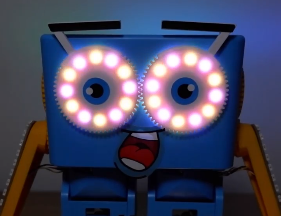
In this lesson, learners will explore the different patterns that can be represented with Marty's disco eyes. When the pattern is decided on, learners will make use of loops and their timing in order to match the disco eyes to the music. This lesson will require a degree of testing: testing the light patterns, the colors, the music tempo and the alignment of the light to the beat.
As an extension, learners could be challenged to apply their understanding of parallel programming to tell Marty to do different things at the same time.
Please read the knowledge base article about the Disco addons, before engaging with this lesson.
Knowledge of loops, add-ons and a sense of timing, in music
The below video shows an idea for Marty moving, with lights changing, to the beat of the music. You can show the video from the second slide in the presentation or run it on your own Marty.
For the code, you will find the following blocks in the following sections:
Discuss what learners think has happened. Record the ideas that they share. Answers may include, Marty's movement and lights loop, different parts of Marty are moving or changing at the same time, the changes are timed to fit with the music.
Record the suggestions.
Display the next slides of the ppt, the objectives and success criteria for today's lesson.
Have a prepared video of a music concert with a light show. There are several selections below, which also appear in the PowerPoint presentation. Feel free to use any and all you wish; if there are any you do not wish to use, delete the applicable slides from the presentation before using it in the lesson. Some of these videos use flashing lights, they will not be appropriate for learners who react negatively to them.
The video is to give learners an idea as to how other people have used lights and music, together, to create a presentation.
At this point, everyone should have MartyBlocks loaded, with Marty connected. Display the slide called 'The Disco blocks', from the presentation. They will notice that each of the three blocks has 'eye' showing and an arrow pointing down. The arrow is a drop-down menu and there are other choices for arm and leg lights, which will be discussed in later lessons.
Have learners drag the three blocks onto the workspace and explore them in slides 8, 9 and 10. Show learners slide 11, a very basic block of code displaying all three of the blocks in action.
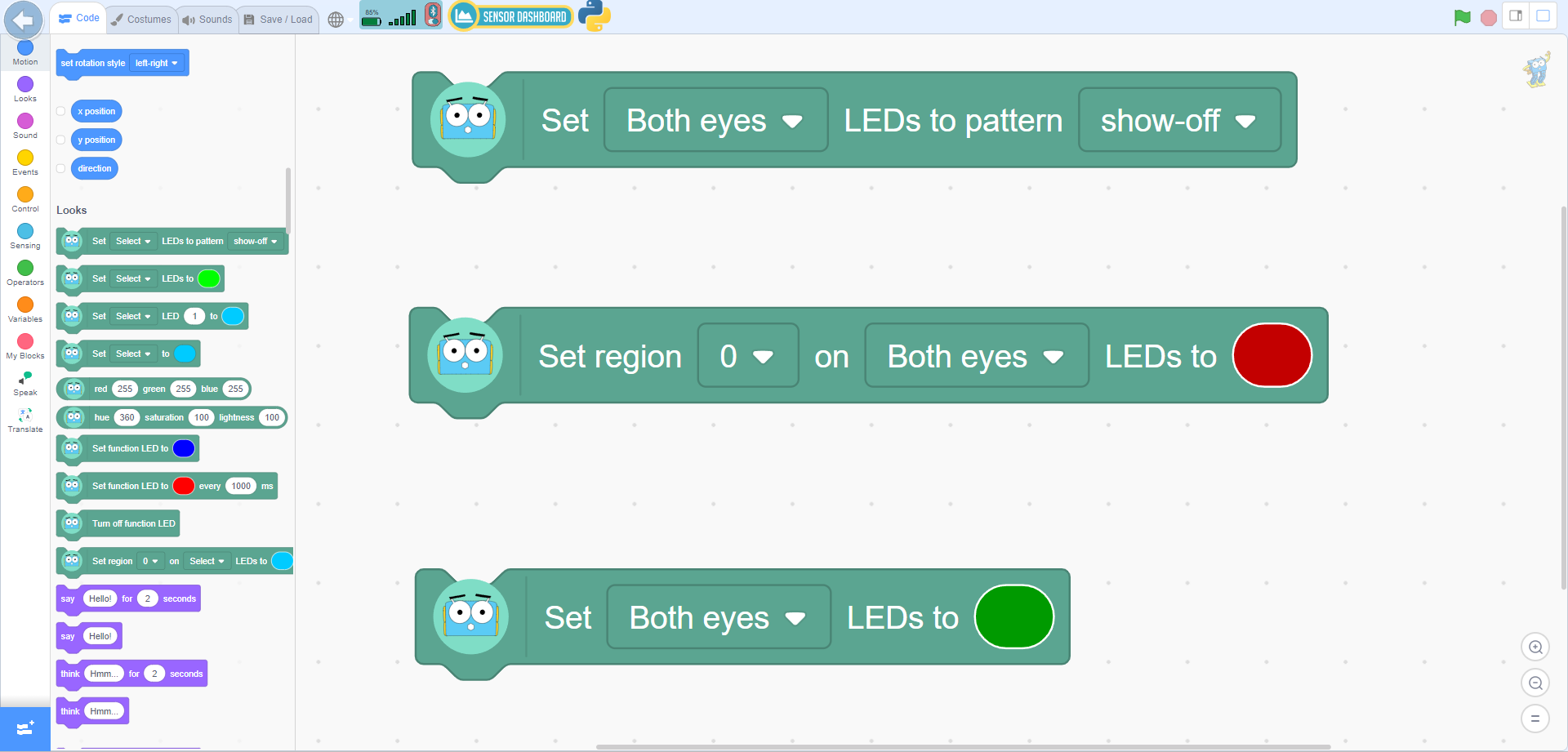
Learners will notice that the script happens amazingly quickly. Ask why this might be so.
Either have learners experiment with different orders for the three blocks or display them in a different order and note the change in the display. Finally, highlight that by setting the disco pattern block to 'off', the lights on the eyes disappear.
Ask learners to further explore the blocks, have them work in MartyBlocks to see if they can come up with any ideas for how it could be further modified or improved/extended. Give learners about 5 minutes to explore.
Ask for volunteers to display group work to the others. Allow for peer questioning to better understand the process and thinking behind what they did. If no groups suggested using loops, or a wait block, ask, "How could you tell Marty to do the same thing again?" "How could you have Marty hold one display for a little bit before moving to the next display?"
Have some disco music playing, in the background, the video is not necessary to show and the audio will last for a long time. The example has a steady, regular tempo so learners will have the time to perfect the timing for their lights and so that multiple devices do not have different music tracks playing at the same time.
Set the goal for the learners to have their programs running for at least 20 seconds. The example, at the start of the lesson, runs for about 45 seconds.
Encourage learners to fill out the workbook's first three tasks before beginning to code. Show the fourth task and remind learners that, for the example in the lesson, there were no pauses or breaks between the commands, which resulted in the program being completed far too quickly. Ideas for how to explain using the table in the workbook could be, "As a result, to improve the code, a good first step would be to add some sort of time to pause between each command in order to sync better with the music."
Give as much time as you can for learners to problem solve their code in order to match it up with the music, to the best of their ability. Take time to walk around the classroom, asking questions and watching their displays.
Bring learners back together to discuss the challenges they faced and overcame. Have groups model their creations and explain what is happening, when. Encourage other groups to ask questions to deepen the understanding of the processes.
Suggested questions you might ask:
Carry out any end of lesson routines.
Log off devices and clear everything away.