Skip to content
Learning Site
Home

About

  • About Robotical
  • Case Studies
  • Meet the Team
  • Blog
  • Contact Us

Our Products

  • Marty the Robot
  • Axiom
  • Cog

Teach

  • Lessons & Resources
  • Marty for Educators
  • Funding & Grants
  • Professional Development
  • Why Teach STEM?
  • Coding Environments
  • Student Led Learning

Let's Code

  • Marty the Robot
  • Code Online
  • Marty Apple App
  • Marty Android App
  • Update your Marty
  • Cog
  • Code Online
  • Cog iOS App
  • Cog Android App
  • Axiom
  • Axiom Science

Support

  • Marty Get Started
  • Cog Quick Start Guide
  • Axiom Science Quick Start Guide
  • Support & FAQs
  • Marty V2 User Guides
  • Marty V1 Resources
  • Request Support
  • Request Top-Up Training

Shop

  • Marty the Robot and Physical Computing
  • Class Packs
  • Add Ons & Extras
  • Account
  • Shipping, Returns & Cancellations
  • Distributors
HomeLessonsUnits of workCurriculum standardsTutorials

Information

  • Lessons & Resources
  • Knowledge Base & User Guides
  • About Us
  • Shipping, Returns & Cancellation
  • Privacy Policy
  • Learning site privacy
  • Terms of Service
  • Partner Hub

Support & Help

  • Support & Help Center
  • Getting Started with Marty V2
  • Getting Started with Marty V1

Learning, Resources & Guides

  • Marty V2 Lessons Site
  • Marty V1 Lessons Site

Contact Us in the UK

Stanhope House,12 Stanhope Place,Edinburgh,United Kingdom,EH12 5HH
(+44) 0131 564 0922
hello@robotical.io
Contact Us

Contact Us in the US

2810N Church St, PMB 61694,Wilmington,Delaware,USA19802-4447
(+1) 833 886 1661
hello@robotical.io
Contact Us

Why not join our mailing list?

For News, New Products and Special Offers

Join mailing list

Copyright 2016-2026 © Robotical Ltd

Step 3 of 5

3: Marty Sensing the Environment

Step 3 of 5: 2.21: Estimating with Distance Sensors

  1. 32.21: Estimating with Distance Sensors
Marty app
CurrentPrevious

2.21: Estimating with Distance Sensors

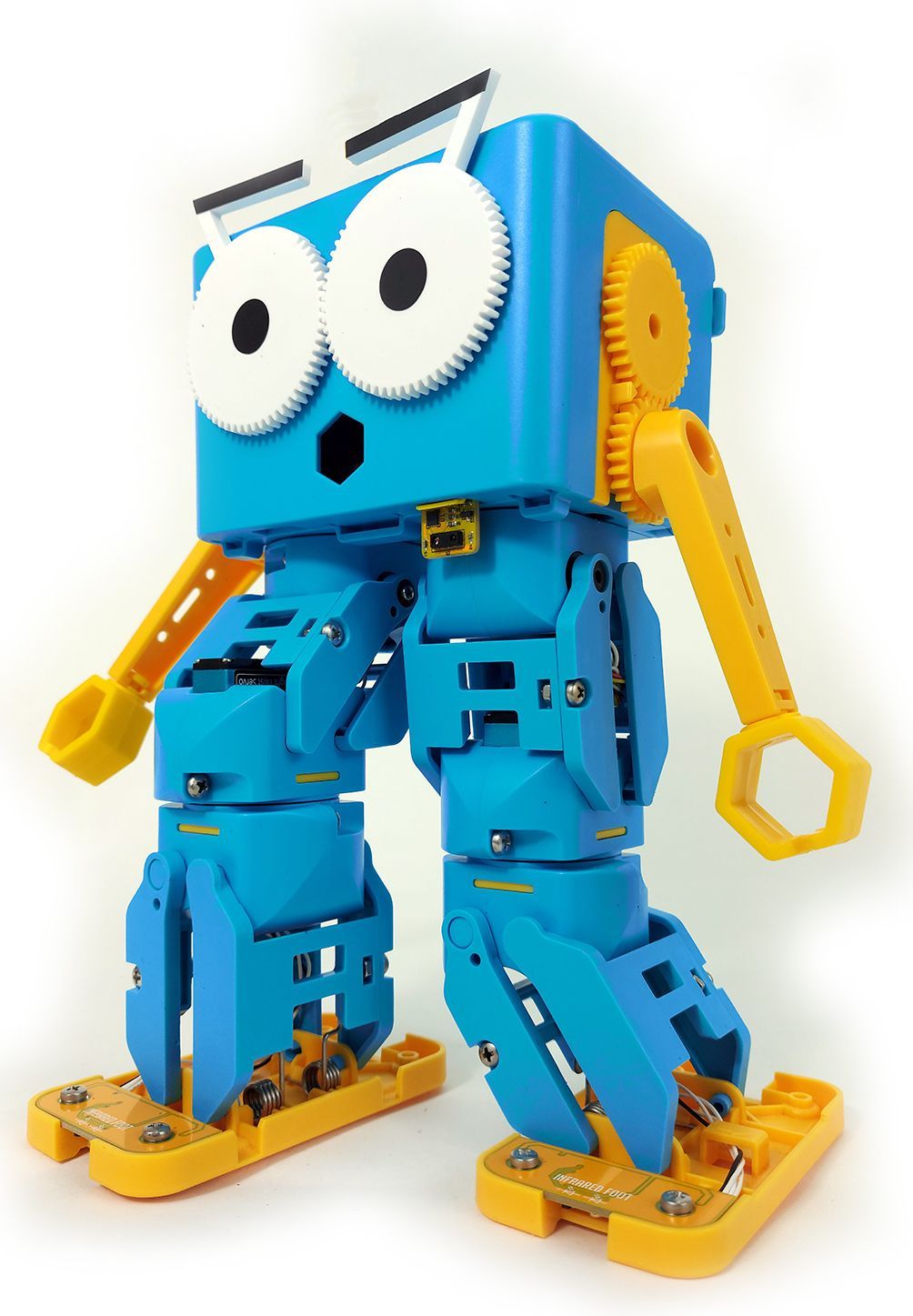
Use Marty's distance sensors to trigger a response when someone walks past!
2.21: Estimating with Distance Sensors
Age / stage
8 - 10
Estimated time
45 minutes
Difficulty
Intermediate
Products
Marty V2

On this page

  1. Lesson overview
  2. Before you begin
  3. Warm-up
  4. Get learning
  5. Further challenge ideas
  6. Cool down
  7. Additional reading
  8. Curriculum standards

Additional reading

  • More information on how an IR distance sensor similar to the one Marty uses works is here:

Curriculum standards

19
Choose your curriculum to see the relevant standards.

19 of 19 linked standards shown.

Australian CurriculumAustralia2
Curriculum areaLinked standards
Digital Technologies, Design & technologies: Digital Technologies

Select a code to read the full standard.

Digital Technologies, Design & technologies: Digital Technologies

  • ACTDIK023Investigate how data is transmitted and secured in wired, wireless and mobile networks, and how the specifications affect performance
  • ACTDIP027Define and decompose real-world problems taking into account functional requirements and economic, environmental, social, technical and usability constraints
CSTA Education StandardsUSA2
Curriculum areaLinked standards
General standards

Select a code to read the full standard.

  • 2-DA-09Refine computational models based on the data they have generated.
  • 2-AP-13Decompose problems and subproblems into parts to facilitate the design, implementation, and review of programs.
Curriculum for ExcellenceScotland8
Curriculum areaLinked standards
Health and Wellbeing: Mental, Emotional, Social and Physical Wellbeing
Literacy & English: Listening and Talking
Literacy & English: Writing
Numeracy: Number, Money and Measure
Technologies: Computing Science

Select a code to read the full standard.

Health and Wellbeing: Mental, Emotional, Social and Physical Wellbeing

  • HWB 0-14a / HWB 1-14a / HWB 2-14a / HWB 3-14a / HWB 4-14aSocial wellbeing

Literacy & English: Listening and Talking

  • LIT 2-02aTools for listening and talking
  • LIT 2-07aUnderstanding, analysing and evaluating

Literacy & English: Writing

  • LIT 2-23aTools for writing

Numeracy: Number, Money and Measure

  • MNU 2-01aEstimation and rounding
  • MNU 2-11aMeasurement

Technologies: Computing Science

  • TCH 2-14bUnderstanding and analysing computing technology
  • TCH 2-15aDesigning, building and testing computing solutions
England's National CurriculumEngland2
Curriculum areaLinked standards
Computing, Design and Technology: Computing
Computing, Design and Technology: Design and Technology

Select a code to read the full standard.

Computing, Design and Technology: Computing

  • ✔️Understand what algorithms are; how they are implemented as programs on digital devices; and that programs execute by following precise and unambiguous instructions

Computing, Design and Technology: Design and Technology

  • ✔️Design purposeful, functional, appealing products for themselves and other users based on design criteria
ISTEUSA3
Curriculum areaLinked standards
International Society for Technology in Education (ISTE)

Select a code to read the full standard.

International Society for Technology in Education (ISTE)

  • 1cStudents use technology to seek feedback that informs and improves their practice and to demonstrate their learning in a variety of ways.
  • 4cStudents develop, test and refine prototypes as part of a cyclical design process.
  • 6bStudents create original works or responsibly repurpose or remix digital resources into new creations.
TEKSUSA2
Curriculum areaLinked standards
Middle School Technology Applications: Grade 6 to Grade 8

Select a code to read the full standard.

Middle School Technology Applications: Grade 6 to Grade 8

  • 4.DCritical thinking, problem solving, and decision making. The student makes informed decisions by applying critical-thinking and problem-solving skills. The student is expected to: use multiple processes and diverse perspectives to explore alternative solutions;
  • 6.ETechnology operations and concepts. The student demonstrates a thorough understanding of technology concepts, systems, and operations. The student is expected to: identify, understand, and use hardware systems;

Resources

Learner resources

  • Workbook for Estimating with Distance SensorsFile links loading

Educator resources

  • Teacher GuideFile links loading
  • Presentation for the Distance SensorFile links loading
3: Marty Sensing the Environment
Unit overview
12.06: What's in Marty's Way?
22.16: Ground Detection - Safety First
42.22: Light Sensors and Conditional Statements
52.23: Noise Sensors and Parallel Programming
Previous step2.16: Ground Detection - Safety First
Next step2.22: Light Sensors and Conditional Statements

Lesson overview

In this lesson, students are introduced to the infrared (IR) distance sensor, like the add-on available with Marty v2. These sensors allow Marty to measure the proximity of objects using beams of IR light. The applications of IR sensors in the real world are discussed before students are invited to write a program in which Marty responds to a person walking past him, in addition, learners will code different responses according to the sensed distance and learners will estimate how far away something is.

Please read the knowledge base article about the distance sensor add-on, before engaging with this lesson.

Learning objectives

  • Read a distance sensor
  • Create conditional statements
  • Program Marty to respond to specific distances from an object

Key vocabulary

  • Infrared
  • Sensor
  • Sense
  • Repeat until or conditional loops
  • Distance

Prior learning

Experience using sensors with Marty

Before you begin

Equipment

  • Marty the Robot V2
  • Marty Workbook
  • Devices that connect to Marty
  • Access to the Blocks editor
  • Distance Sensor add on for Marty v2

Warm-up

TimingActivityPossible adaptations
Timing—

Warm up

Have Marty, or Martys, set up at the entrance to the door. Have them set up to respond to learners that come within a certain distance. If using more than one Marty, program different responses when learners pass close enough. Ensure that you are not near a computer when the learners enter so that they can see you are not controlling Marty's response.

Ask learners what they witnessed as they entered. Ask for suggestions they can think about when machines move 'automatically'. Responses might include automatic doors, security lights, speed cameras (speed traps). Ask learners for suggestions as to what the displayed machines have in common. Distance sensors may be suggested, if not, highlight the machines that do have distance sensors and ask what causes them to function/move.

If distance sensors are suggested now, discuss with the class what they are and how they might work. The definition of a distance sensor is in the teacher guide, as well as a simple explanation as to how they work. For more details, see the link in the "Additional Reading" section.

Invite learners to consider devices that use distance sensors. Some examples are included in the slides. Using these as inspiration ask the learners to think of what they could use Marty's distance sensors for.

Watch on YouTube

Ask how they think Marty was able to change as learners moved closer or farther away. What code do we need to tell Marty to do different things when an action occurs? Hopefully learners will suggest an if statement, or conditional statement. If they do not, prompt learners with reminders from previous lessons than involved conditionals.

Get learning

TimingActivityPossible adaptations
Timing—

Get Learning

Share with learners where to find the block for the distance sensor and identify the physical sensor on Marty so that they can see the part of Marty that sends and receives the signal. To more fully engage the learners, it is possible to install the sensor with the class, each group having responsibility for attaching the sensor to a Marty.

Have learners tick the box beside the sensor so that they can see the sensor's range, accuracy and speed with which the information updates.

Display the video of Marty using the conditional statement to react to something at a certain distance.

Compare how this sensor works with the obstacle sensor: the distance sensor is able to specify the distance has to be in order to trigger an action, the obstacle sensor is only able to determine if something is in the way or not, and that something has to be very close.

Watch on YouTube

Highlight the fact that only one action occurs and it only occurs once. Encourage learners in their group to plan for more opportunities. After some ideas about a lack of repeat blocks, or some other way of looping the information, ask learners about how far away they think the object was that caused Marty to react. Draw attention to the conditional statement and what the value was, next to the inequality. This allows us to make an estimation about the distance from Marty that the object is.

Cool down

TimingActivityPossible adaptations
Timing—

Cool Down

Bring learners back together to discuss the challenges they faced and overcame. Have groups model their creations and explain what is happening, when. Encourage other groups to ask questions to deepen the understanding of the processes.

Suggested questions you might ask:

  • How did you determine what values to use for the conditional statements?
  • Did you find that there were times when too many or too few conditional statements weren't quite right?
  • Did your reactions change appropriately, depending on the distance of the object from Marty?
  • How many times did you change the values that triggered a condition? Do you think this was enough or do you think you should have changed it more frequently?

Carry out any end of lesson routines.

Log off devices and clear everything away.

Possible adaptations—

Unit resources

Learner resources

  • 2.06 What's in Marty's Way.pdf
  • 2.16 Ground Detection - Safety First.zip
  • 2.21 Estimating with Distance Sensors.zip
  • 2.22 Light Sensors and Conditional Statements.zip
  • 2.23 Noise Sensors and Parallel Programming.zip
Possible adaptations—

To familiarise the class with the distance sensors and check they are working as expected, ask them to record the maximum (approx. 1700mm) and minimum (39mm) values Marty's distance sensors can report in their workbooks. By measuring the distances for themselves, the learners will get a feeling for the scale over which the distance sensors operate in the real world.

Ask learners to begin planning for two things: what is Marty going to do as a response, the action; when is Marty going to respond in a specific way, the distance that triggers the response. Have learners share their ideas once you have given groups time to plan.

Possible adaptations—
Timing—

Time for Practice

In their groups, learners will need to test values to find if the conditions for movement are reasonable. This will fulfill two goals: it will give learners a chance to estimate distances in millimeters, or convert to another unit, and it will reinforce the need for trial and error in development until they reach a satisfactory result.

Give learners ample opportunities to test their code using different static objects and moving objects, running the code when the object is already a set distance away and when the object moves, perhaps triggering more than one reaction from Marty.

The range from closest to farthest allows for several conditions and reactions from Marty.

Possible adaptations

Support

  • Have measurement tools readily available, with conversion tables for mm, cm and m.
  • Have visual support for the location of the key blocks: distance sensor, operators and control blocks.

Further challenge ideas

Extend

  • Have learners explore how to indicate the closeness of an object and create code to display a scale from closest to farthest away:
    • using the move arm to raise up for farthest away and lower for closest;
    • make use of Marty's add-ons, like the disco lights, to display a visual scale;
    • increase or decrease movement dependent on the distance from an object.
